Design
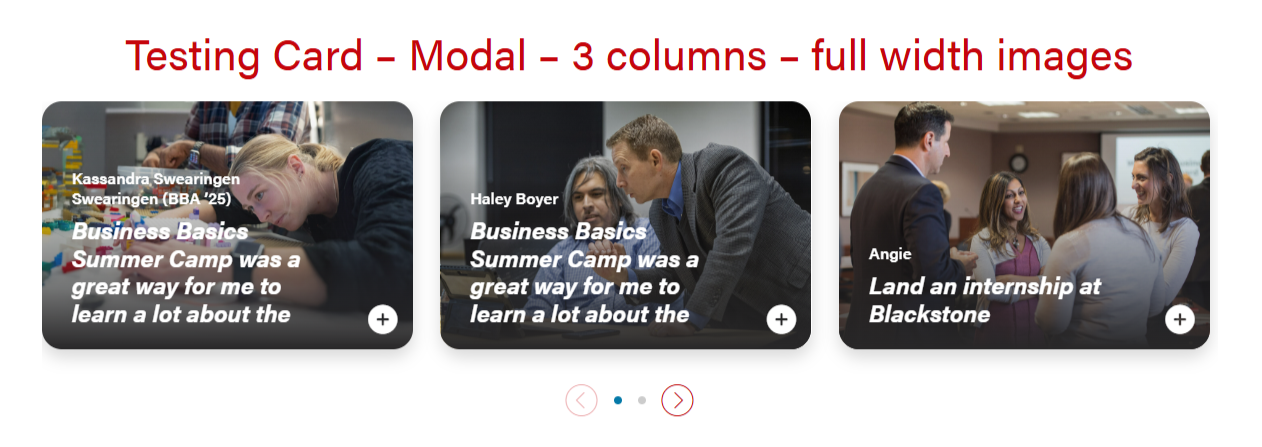
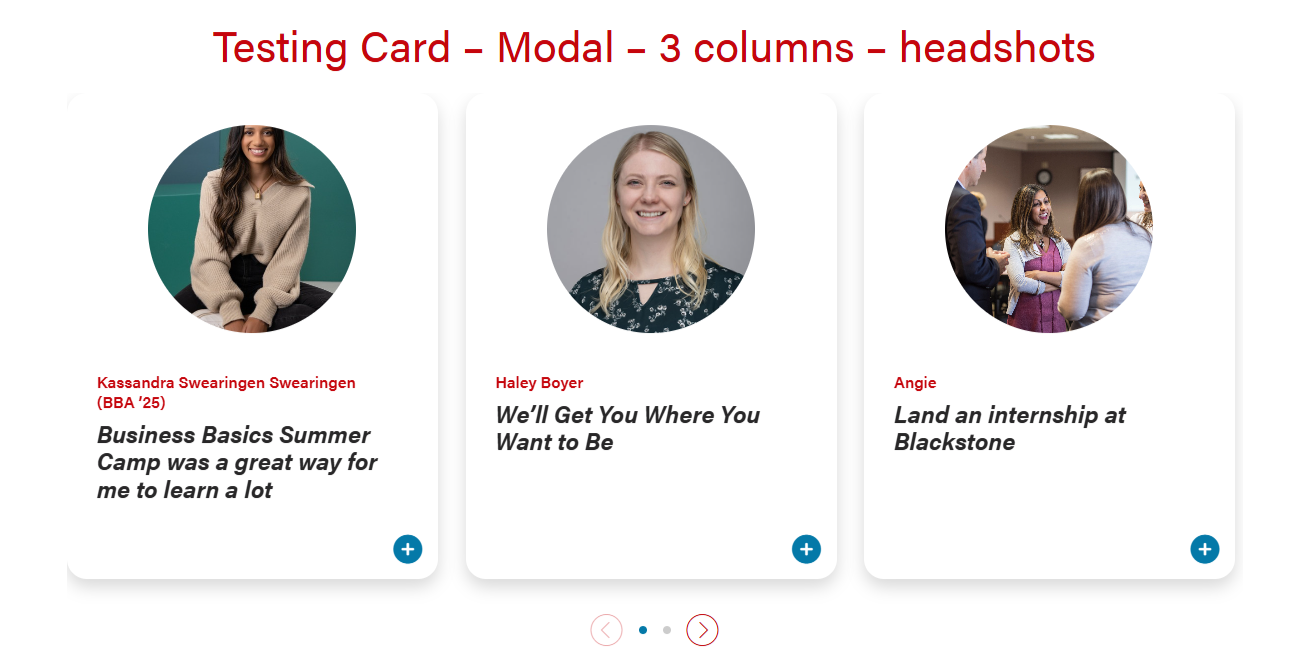
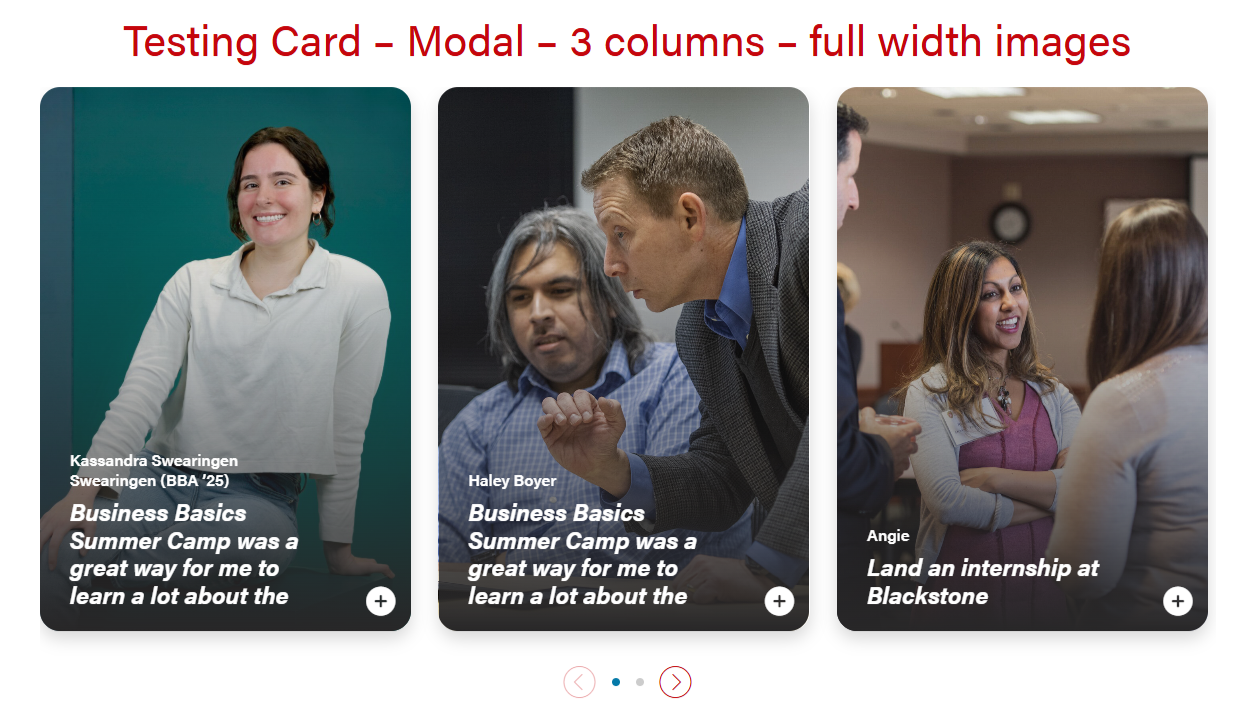
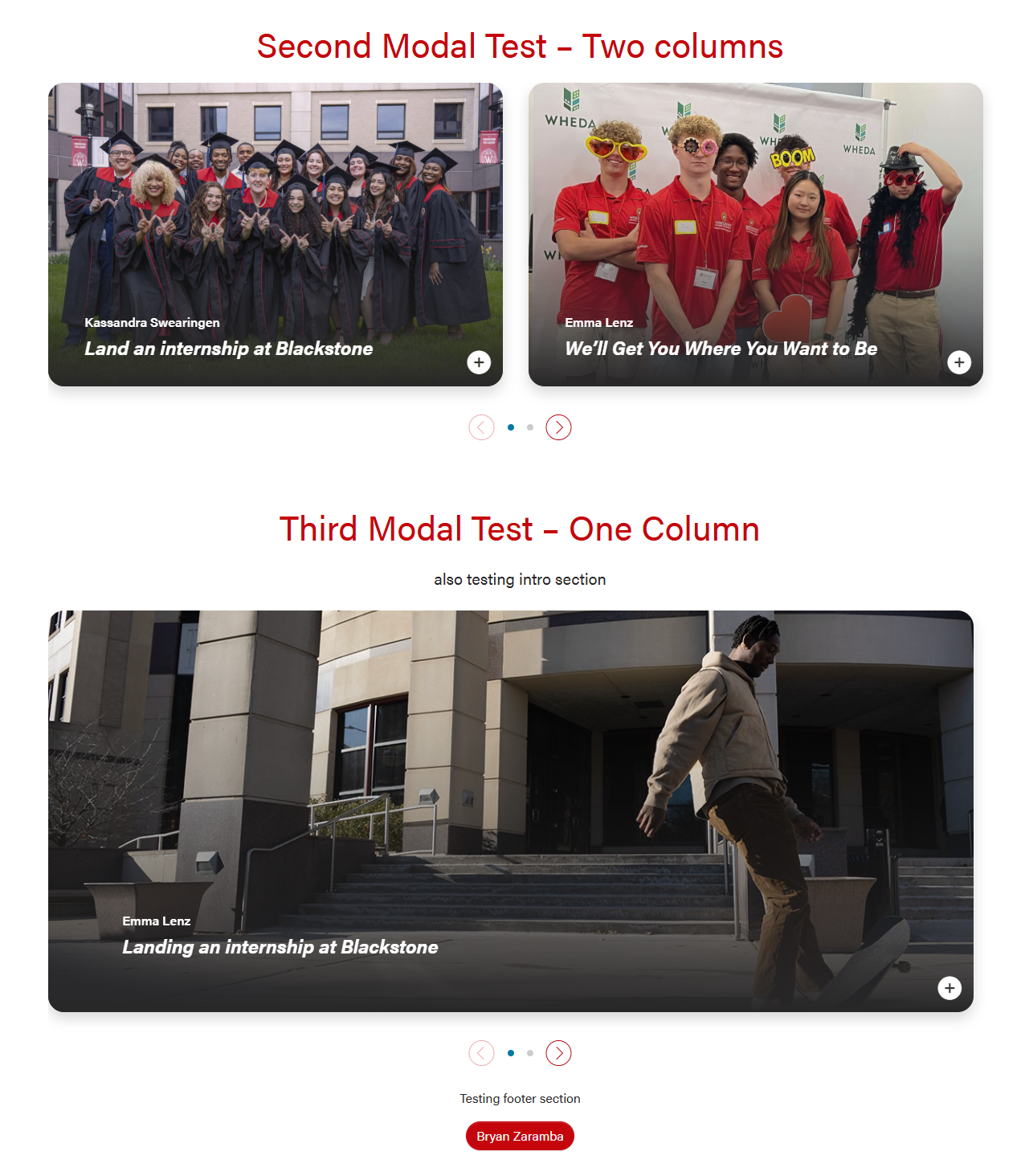
Card with full-width or circle headshot images that can open into a modal for more information. There are options for 1, 2, or 3 columns.
There is an open modal button on the lower right corner of the cards that can be a stretch link. There are two modal close buttons in the modal popups (upper right corner and bottom right corner).
| Examples of full-width and headshot modal cards and 1, 2, 3 columns |
|---|
| |
|  |
Default Modal style. The header will be 50/50 for desktop and tablet, and full-width for mobile. 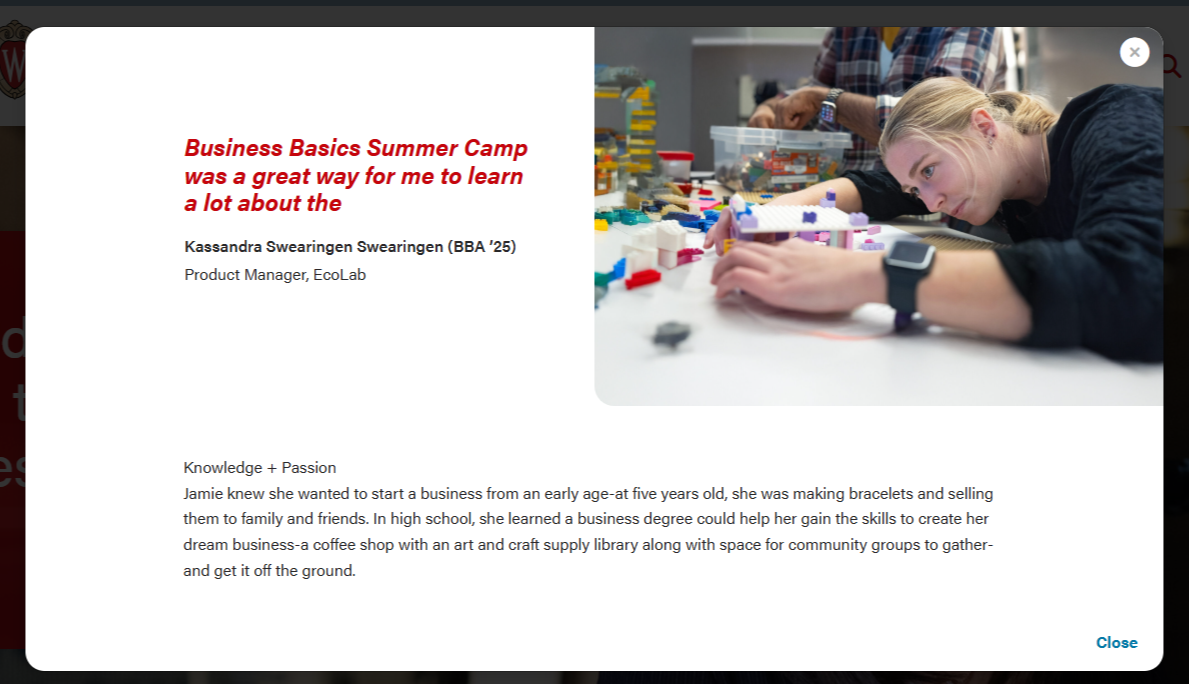 
| Modal for circle crop headshot. The layout will be the same in desktop, tablet, and mobile. 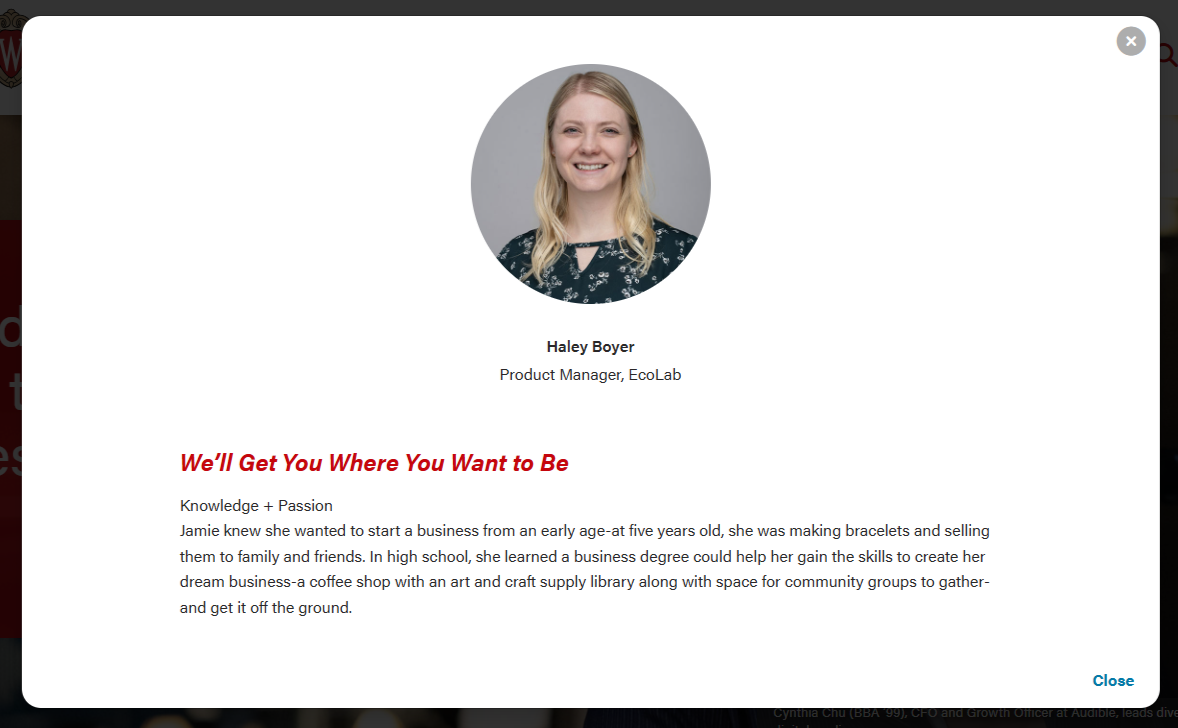
|
Modal with full-width image. Text overlaps image, with a dark gradient for contrast. Mobile/tablet sizes just have smaller text.
 
| |
Use Cases
- For storytelling or when you want to share a lot of information in a modal. The card displays a small amount of copy and the modal shows more detail.
- Example: Student stories on BBA Careers page
Fields
Card
Modal Popup
- Display card microtitle in modal header? - true/false, pulls Microtitle subfield from Card and displays in modal over title.
- Full width image? - makes image full width inside the modal instead of half width. Recommend use of Modal Image Override with this.
- Modal Title Override - can override the card title. This can have more characters than the card title, but it's still best practice to keep the title short.
- Supporting Details - WYSIWYG for job titles, company, or majors
- Modal Image Override - you can override the full width image used for the card
- Modal Text - WYSIWYG for modal copy. You will need to use inline classes and HTML for styles.
Configuration section
- Number of columns - you can select one, two, or three columns. Three columns is the default.
- Please note that headshot/circle crop style should only be used with two and three column layouts. (The image looks too small for a card in a single column layout)
- Stretch link? - this will make the modal open when a user selects anywhere on the card. Checked is the default.
Introduction and Footer sections
- These are standard sections for many of our custom blocks.
Code Templates for Modal Content
Modal content is added in a WYSIWYG field, so you'll need to add HTML elements with classes for styling. Copy the code below for the content you need:
Modal with pullquote, horizontal rule <hr>, and microtitle styling for last subhead 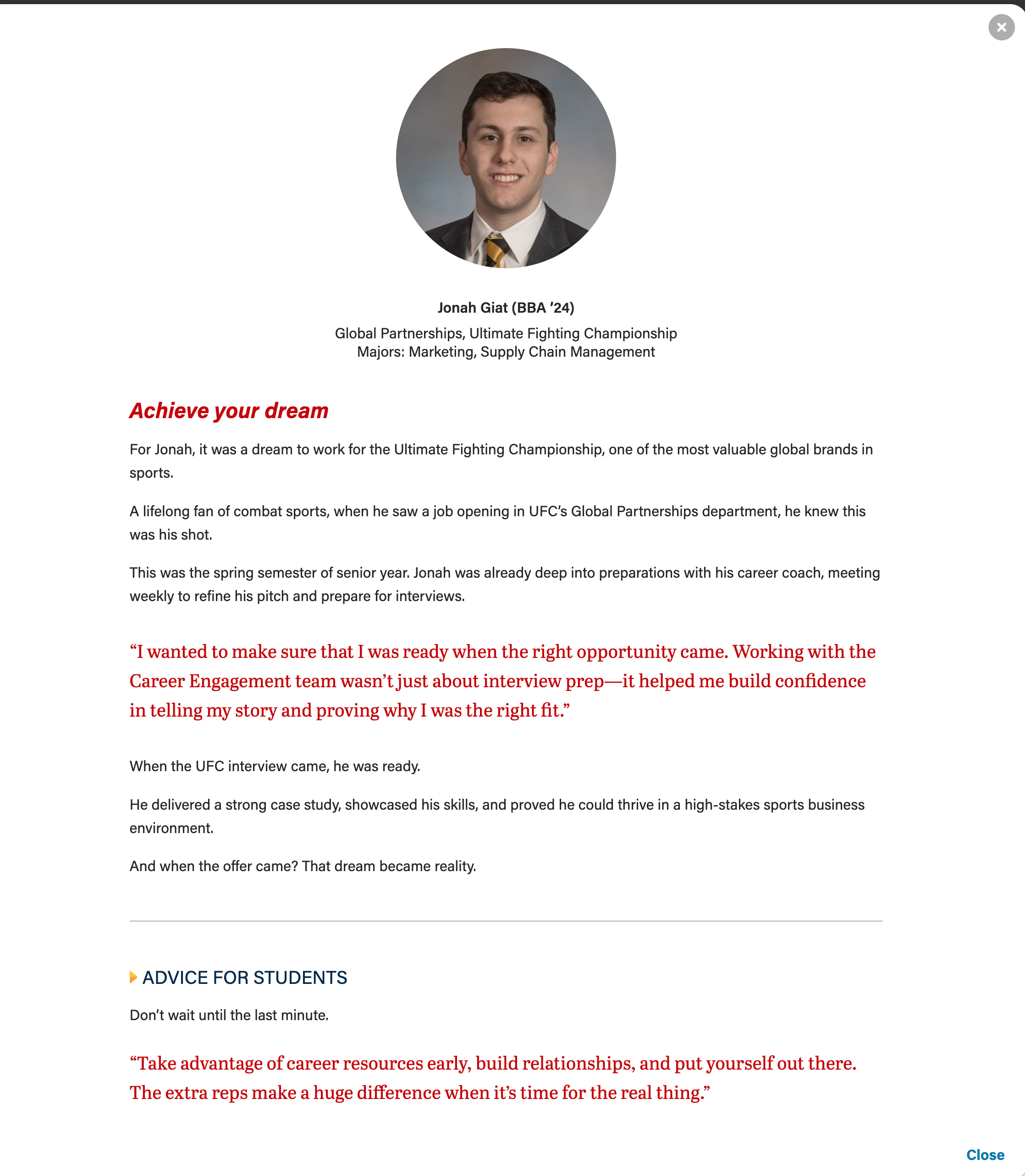
|
|---|
Microtitle styles for subheads (with yellow triangle)
These styles can be used on any heading level.
<h3 class="microtitle mb-3"><img class="microtitle-arrow" alt="" src="/wp-content/uploads/2024/10/Two-toned-yellow-arrow-digital-100x164-1.png" width="9" height="15" aria-hidden="true" /> Subheading</h3> |
Horizontal rule
<hr class="hr-gray my-5" /> |
Pull quote
Can adjust or remove "my-4" class if needed.
<figure class="wp-block-pullquote mx-0 my-4 text-start">
    <p class="fs-5">add quote here</p>
</figure> |
Career Points (for T2L4)

Just add the "career-points" class to any ul to get this styling.
<ul class="career-points">
 	<li>Point 1</li>
 	<li>Point 2</li>
 	<li>Point 3</li>
</ul> |
Name Title Company (for T2L4)

Where it says <img />, just use the Add Media button and add whatever photo you like. You do not need to edit the default classes wordpress adds.
Don't skip the divider element! If you forget it, the image won't appear.
<div class="name-title-company">
   	<div class="text-wrapper">
		<p>
			<span class="name">Name</span>
   			Title/Company
   			Location
		</p>
	</div>
   	<div class="divider"></div>
   	<div class="image-wrapper">
		<img />
	</div>
</div> |
Image + Text

- If you want an image next to some text.
- The "image-right" class can be removed if you want the image on the left instead.
- Where it says <img />, just use the Add Media button and add whatever photo you like. You do not need to edit the default classes wordpress adds.
- Make sure to include <p> tags around any text. You can have multiple paragraphs.
- Add the modal-quote class if you want quote styling like in the photo above: <p class="modal-quote">
<div class="modal-image-text image-right">
	<div class="image-wrapper">
		<img />
	</div>
	<div class="text-wrapper">
		<p>Text Here.</p>
		<p>Second paragraph.</p>
	</div>
</div> |
Supporting Images
Staggered image collage 
| Mixed image collage 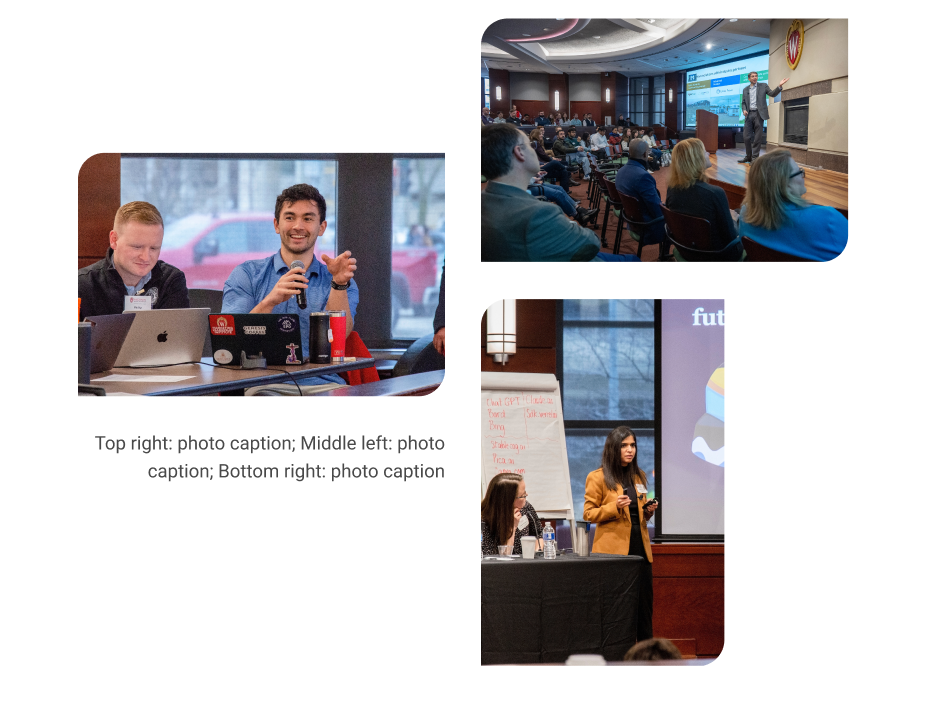
|
|---|
Staggered collage (3 vertical photos)
- Photos must be vertical. Recommended size: 700x1000px
- Image two and three are hidden for mobile screens.
- Can use a single caption for all three images for desktop. A mobile caption for just image one, since the others are not visible at that breakpoint.
<div class="acf-block-image-collage mt-5 mb-0">
	<div class="staggered-wrapper mb-0 pb-0">
		<div class="swiper-slide staggered-image-one image-one">
			<img decoding="async" class="image" src="" alt="" aria-desribedby="staggered-collage-caption">
		</div>
		<div class="swiper-slide staggered-image-two image-two">
			<img decoding="async" class="image" src="" alt="" aria-desribedby="staggered-collage-caption">
		</div>
		<div class="swiper-slide staggered-image-three image-three">
			<img decoding="async" class="image" src="" alt="" aria-desribedby="staggered-collage-caption">
		</div>
		<div class="caption" id="staggered-collage-caption">
      		<p class="mobile-caption mt-0">Mobile Caption</p>
      		<p class="desktop-caption mt-1 text-center">Desktop Caption</p>
   		</div>
 	</div>
</div> |
<div class="acf-block-image-collage mt-5 mb-0">
	<div class="staggered-wrapper mb-0 pb-0">
		<div class="swiper-slide staggered-image-one image-one">
			<img decoding="async" class="image" src="" alt="">
		</div>
		<div class="swiper-slide staggered-image-two image-two">
			<img decoding="async" class="image" src="" alt="">
		</div>
		<div class="swiper-slide staggered-image-three image-three">
			<img decoding="async" class="image" src="" alt="">
		</div>
 	</div>
</div> |
Mixed collage (3 photos, 2 horizontal and 1 vertical)
- Image one and two must be horizontal, image three vertical.
- Image one and two size: 2400x1600px, smaller images with the same aspect ratio will also work, such as 512x341px or 1024x682px
- Image three size: 512x768px
- Image two and three are hidden for mobile screens.
- Can use a single caption for all three images for desktop. A mobile caption for just image one, since the others are not visible at that breakpoint.
<div class="mixed-layout-collage">
   <div class="image-one">
      <img decoding="async" class="image brand-border-radius" src="" alt="" aria-desribedby="mixed-collage-caption">
   </div>
   <div class="image-two">
      <img decoding="async" class="image brand-border-radius" src="" alt="" aria-desribedby="mixed-collage-caption">
   </div>
    <div class="caption" id="mixed-collage-caption">
      <p class="mobile-caption pt-2">Mobile Caption</p>
      <p class="desktop-caption text-end">Desktop Caption</p>
   </div>
   <div class="image-three">
      <img decoding="async" class="image brand-border-radius" src="" alt="" aria-desribedby="mixed-collage-caption">
   </div>
</div> |
<div class="mixed-layout-collage">
   <div class="image-one">
      <img decoding="async" class="image brand-border-radius" src="" alt="">
   </div>
   <div class="image-two">
      <img decoding="async" class="image brand-border-radius" src="" alt="">
   </div>
   <div class="image-three">
      <img decoding="async" class="image brand-border-radius" src="" alt="">
   </div>
</div> |