
This page is currently being updated.
Training and Access
You must receive training from the web team before you will be granted access to edit calendar events.
To request event training, please email webteam@wsb.wisc.edu with your request and the following:
- Your first and last name
- Your netID (this is not a number)
- Your status (student worker, staff, or faculty)
- Which dept/program you work for
Login to WordPress
- Go to business.wisc.edu/wp-admin (bookmark this page for easy access).
- Click "Sign in with your Net ID" button. Login using Duo.
- Typing in your Net ID with the associated password will not work on this login page.
Add a New Event
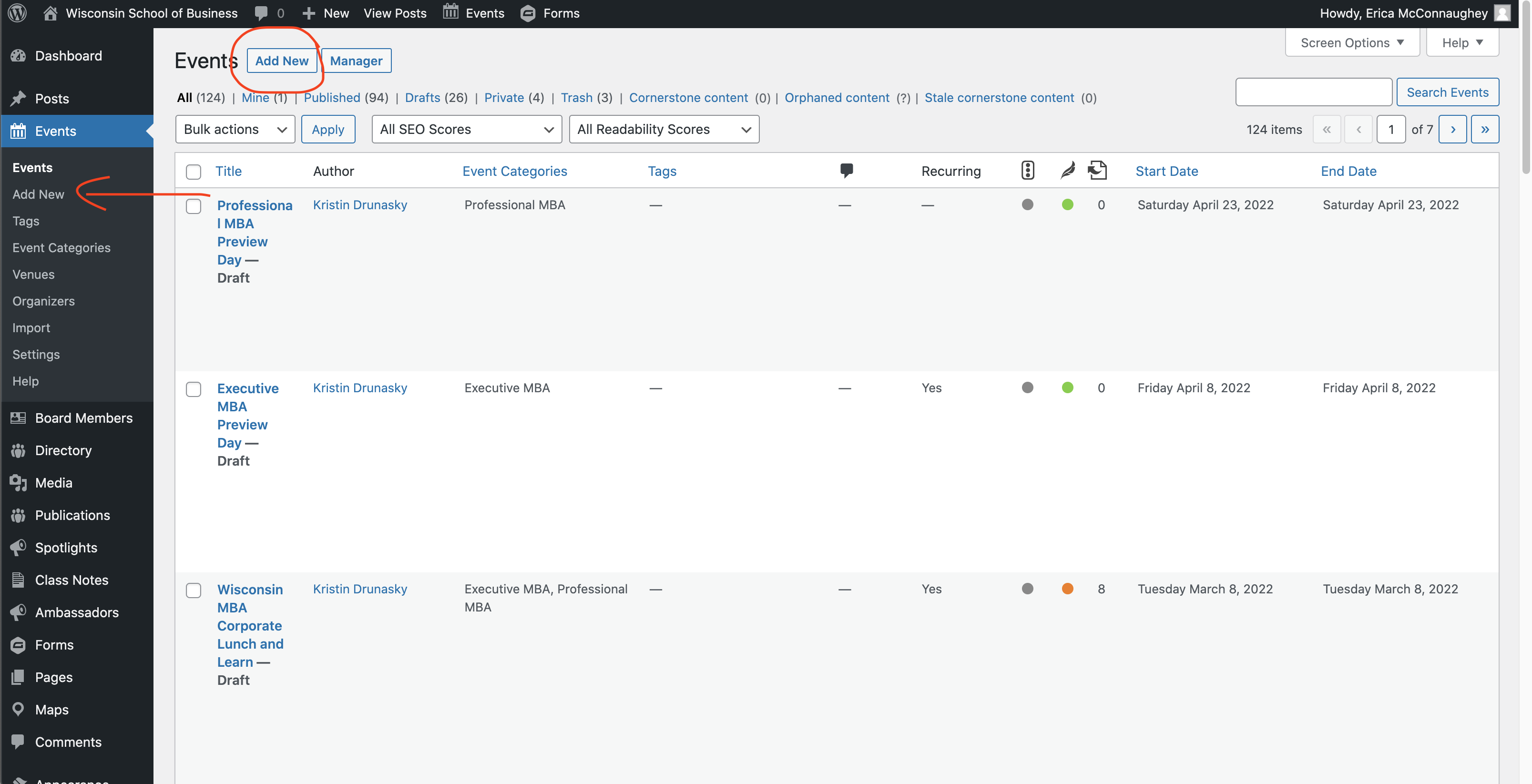
- Navigate to Events in the left menu.
- If you don't see Events, you will need to request access from the web team.
- Click Add New (see the two locations for this button in the screenshot below)
Title
The name of your event.
...
- Registration buttons should say Register for this event or Register now
- Virtual events with no registration can have buttons that say Join us on Zoom etc.
You can move the button higher up on the page if desired.
Cost (optional)
Enter the cost for attending the event.
...