
There are three folders your team will be viewing:several individual folders for each part of the email process. They should all be organized the same way.
Emails> All > WSB
You can get to the list of emails by going to Assets> Emails then selecting “All Files” from the right sidebar.
...
Note: You should not be creating emails without selecting one of these templates, as they have already been designed for accessibility, brand standards, and usability.
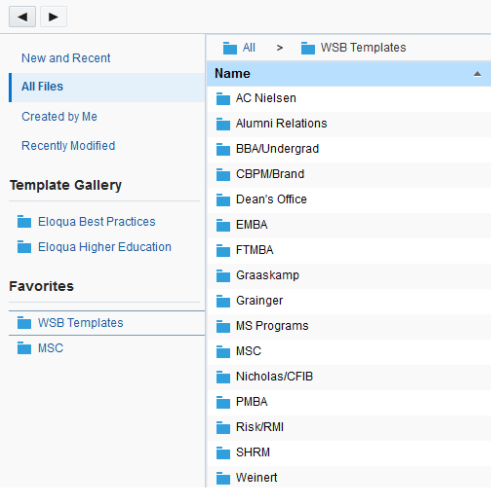
Campaigns> All (All Files) > WSB
Pretty much identical to the Email file structure:
All>WSB>[your department]>[year]>[month]
Individuals in each department are responsible for creating the folders necessary to follow this file structure.
Audience>Tools>Shared Lists>WSB
When you upload a list of contacts, it creates a Shared List. Make sure to name your list clearly prior to uploading, and save the list in your department folder.
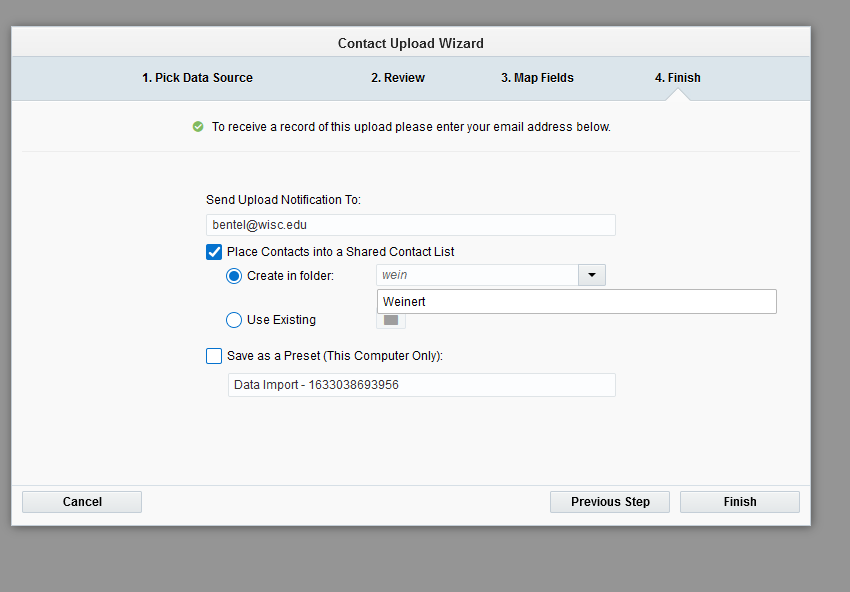
If you upload a new list every time you send an email, use the year>month structure. If you're reusing your lists, you can keep them in your main department folder, but make sure to name them clearly.
Benefits of Organized Folders
...