
...
- Delete what you don't need. Templates include more options than you need, so just get rid of what you don't want. Select an item and click the trash can icon.
- Note: don't delete something if you aren't sure. You can use the undo button to get something back, but other than that, it's gone from the email once it's deleted.
- If you need multiple of things, use the copy function (select an item, click the copy icon)
- You can copy/delete a single item, you can tell it's selected when it's outlined in purple/blue (copy/delete buttons on the right side of the page)

- To select an entire row ("layout"), hover your mouse a little to the right or left of a row until you see the orange outline, then click. You can tell it's selected when it's outlined in orange (copy/delete buttons on the right side of the page.)

- In most cases, you'll want to be copying the entire row, rather than a single item.
- You can move items or rows by selecting the item, then clicking and dragging the tab on the left. Note that moving things is a little unwieldy and may be tricky at first.


- You're allowed to move any item in between the Header and the footerFooter
The Header
The header includes the "Trouble viewing this email?" message(which will open up the email on the web), followed by the WSB Crest, "Wisconsin School of Business" and the name of your program.
...
- We recommend you don't edit the header at all, although it might be appropriate to tweak the program name in specific cases, in which case you can just edit the text.
- Do not edit any of the formatting- the color, font size, crest, or background image of the header! The colors were specifically chosen to both follow brand and accessibility guidelines.
- Do not, delete, copy, or move the header or it's contents!
Your program name will be formatted as a "Header 1". Do not use the Header 1 formatting anywhere else on the page.
...
- You can delete the photo if you don't have one (or want one)
- If your headshot is not in the media library (under WSB > 1_all_WSB_Common > Signature Headshots), ask the web team to upload one.

- The signature is just text. You can edit whether or not you include your phone/email/etc, but we recommend formatting your name in bold, and your job title in italics.
- To link your email, type in your email as text, select it, and select the hyperlink button in the toolbar.
- Then, change "Link Type" to "New Email Message" and type your email into the "Email Address" field.
- Make sure to test your link!
- Your signature doesn't have to be at the bottom, you can always move the row higher on the page if it makes more sense somewhere else.
- If you need multiple signatures, ask the web team for assistance with formatting them. Some templates come with a multiple signature option.
Horizontal dividers
Called "dividers" in Eloqua, these lines help to separate different sections of your email.

Rules on editing:
- If you need them, we recommend moving/copy existing ones rather than inserting new ones, as the formatting of the ones in the template is preferred
- Feel free to copy/move/delete as much as needed to section out your email.
- Avoid editing the existing color (other shades of gray are acceptable, but we recommend #ADADAD) or thickness(1px is all you need). You can edit the Divider Padding as needed for the spacing to look good.
- (advanced) In case you mess up the formatting, you can edit it in the button properties in the left sidebar
- Line style: solid
- Line thickness: 1
- Color: #ADADAD
- No background color or border.
The Footer
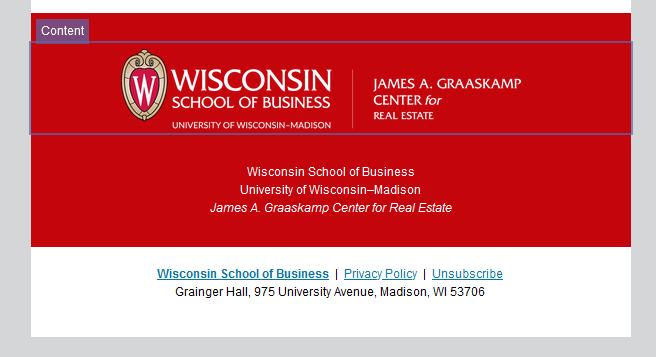
The footer includes your department logo (and that info in text form), and the legally required information.
- There are two versions of the footer, black, and red, which coordinated with the headers.

Rules on editing:
- We recommend you don't edit the footer at all, although it might be appropriate to tweak the program name in specific cases, in which case you can just edit the text. If you need a custom department logo, let us know.
- Do not edit any of the formatting- the color, alignment, images of the footer! The colors were specifically chosen to both follow brand and accessibility guidelines.
- Do not, delete, copy, or move the footer or it's contents!
- The links/address at the bottom are not editable, and for good reason- that info is legally required for sending marketing emails.