...
To create this layout, open the card configuration accordion and select 33/66 under Image Width. NOTE: Do not toggle "overlap text" to the ON position when using this layout.
50/50 layout (use often)
This layout can be used anytime you need an image next to copy. This is the default layout of the block.
...
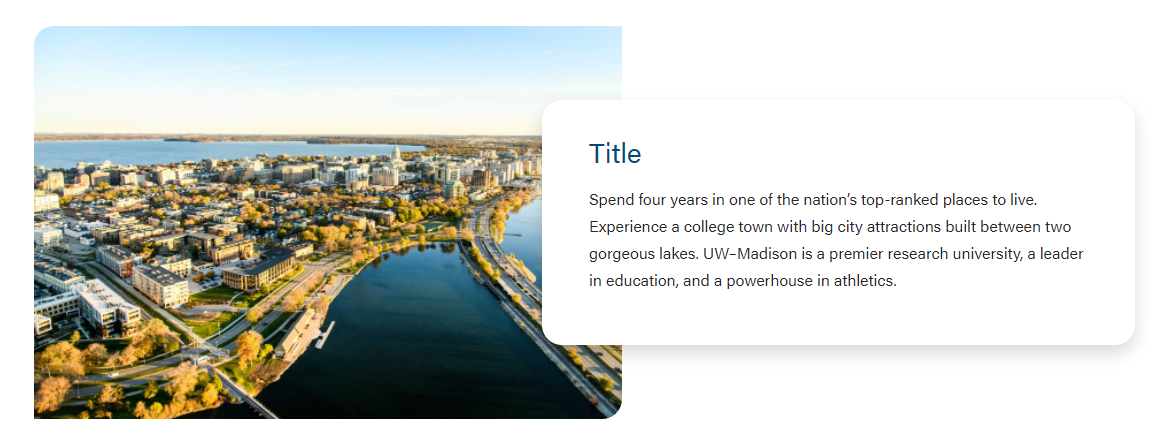
To use this layout, toggle the Overlap Text field ON in the block configuration.
Card-level Fields
Populate from post
Use this to dynamically pull in an existing blog, news, or spotlight post to fill the block. You won't be able to fill out the other fields once you select a post in this field.
...
The supporting copy. This should not be more than 1 paragraph or 4 sentences. Make sure the amount of copy in the card looks good. If not, cut some of it or ask a writer to cut some of it.
Link
The URL.
Overlap Text
The text will have a shadow and overlap the image.
...
Block-level Fields
Stretch Link
The text will become stretched and has the raised hover effect. In addition, the title will become the link location with an outline effect when tabbed.
- Can This should only be used only when Overlap Text is selectedwhen the card is displaying an outline and shadow (i.e. 33/66 layout or 50/50 layout with Overlap Text ON).
- For right now, this field is to be used for Update Magazine.
Overlap Text
The text will have a shadow and overlap the image. NOTE: Only use with the 50/50 layout.