...
Alt Text: required for accessibility
Alt text, aka alternative text, describes in words the non-text elements of a webpage or document, such as photos, drawings or charts. All photos in your email must have alt text.
After you've inserted a photo into the email, select it, and type into the alt text field in the left sidebar.
...
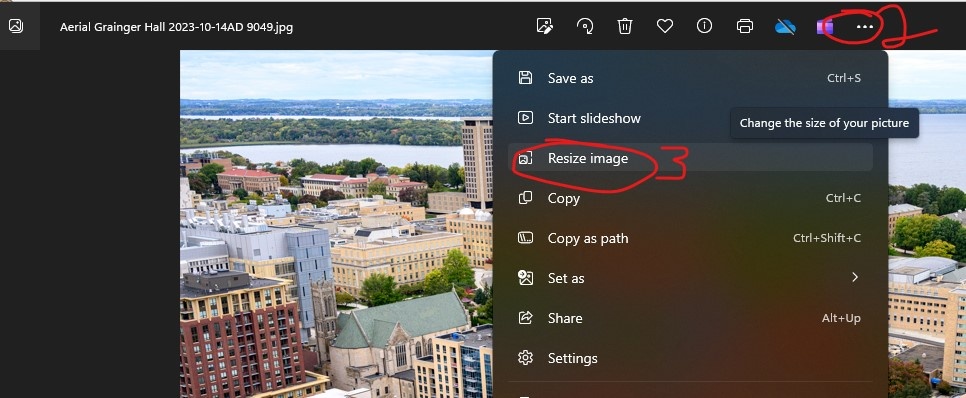
- Open your photo
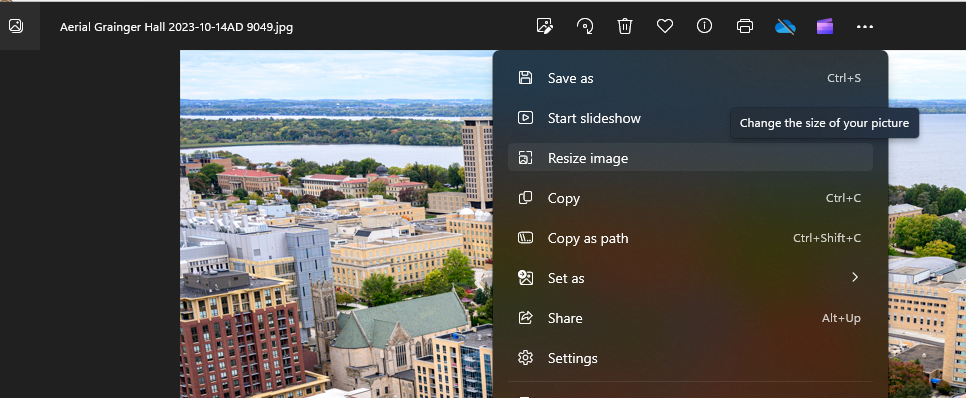
- Click the three dots (right most option in the middle-top menu)
- Click "resize image"
- Change the width of your image to 1200px or less. The height will automatically adjust to be proportional to the width.
- Adjust the quality of your image by clicking and dragging the slider.
- Optional: Change the file type to JPG, since JPG files are generally smaller than other image types. (You cannot do this if you have transparency in the image)
- You will see underneath the slider info for the "Current" image vs the "New" image, which will tell you how many KB the file size of the image is. If it's under 300KB, you are good to go!
- If it's not small enough, you can also run your image through an image optimizer like tinypng.
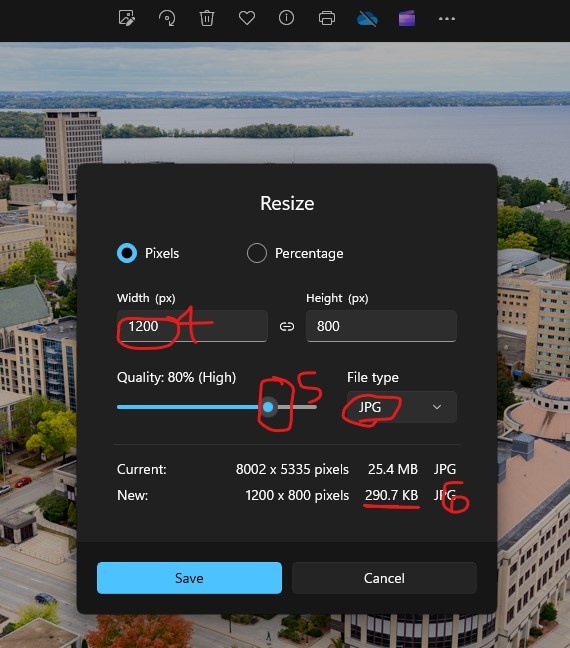
- Click "Save"