...
Finding WSB Email Templates
- Go to Assets > Emails, and click the "Create" button in the top right corner.
- A sidebar will appear on the right side of your screen, where you can name your email and fill out other details (feel free to skip preview text/subject for now). Click Continue.
- A bunch of template options will appear. Go to the "All" tab, then open the WSB Templates folder (sorting alphabetically by Name can help you find it).
- Next you'll see a bunch of folders of the departments within WSB. Select your department, and from within you should be able to pick the appropriate template.
- Once you select your template, you're ready to start editing!
| Expand |
|---|
| title | View detailed instructions on finding templates (with screenshots) |
|---|
|
- Go to Assets > Emails, and click the "Create" button in the top right corner.
- A sidebar will appear on the right side of your screen, where you can name your email and fill out other details (feel free to skip preview text/subject for now). Click Continue.
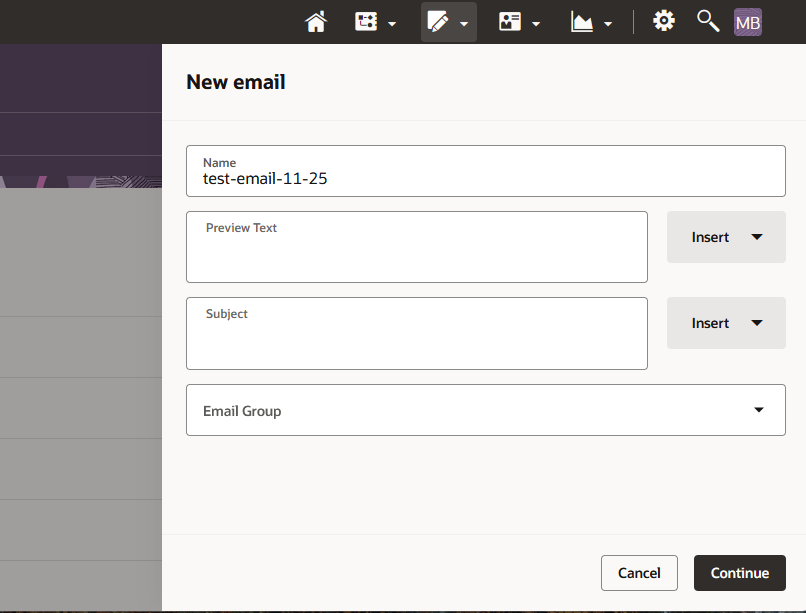 Image Modified Image Modified - A bunch of template options will appear. Go to the "All" tab, then open the WSB Templates folder (sorting alphabetically by Name can help you find it).
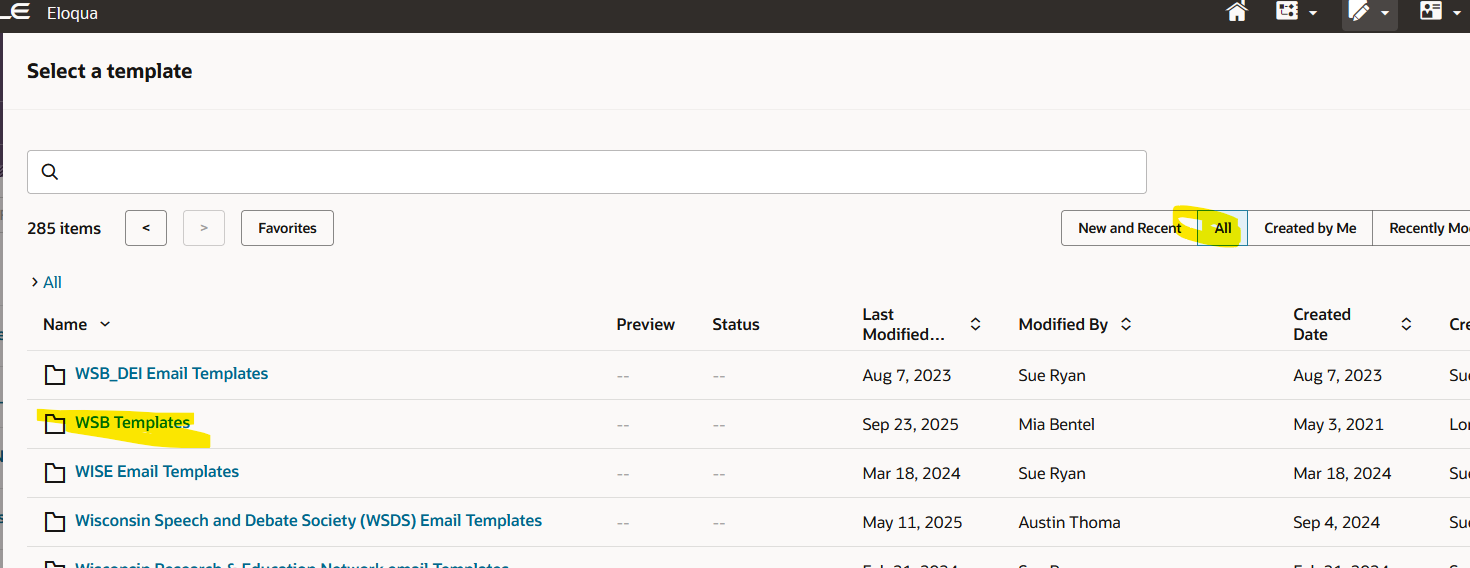 Image Modified Image Modified - Next you'll see a bunch of folders of the departments within WSB. Select your department, and from within you should be able to pick the appropriate template.
- Most departments have at least a "generic gray" and "generic red" template. You may also have templates for specific emails, such as a newsletter template, an event invite template, etc.
- If you do not have a template, please reach out to webteam@wsb.wisc.edu with your template needs and we will make one for you!
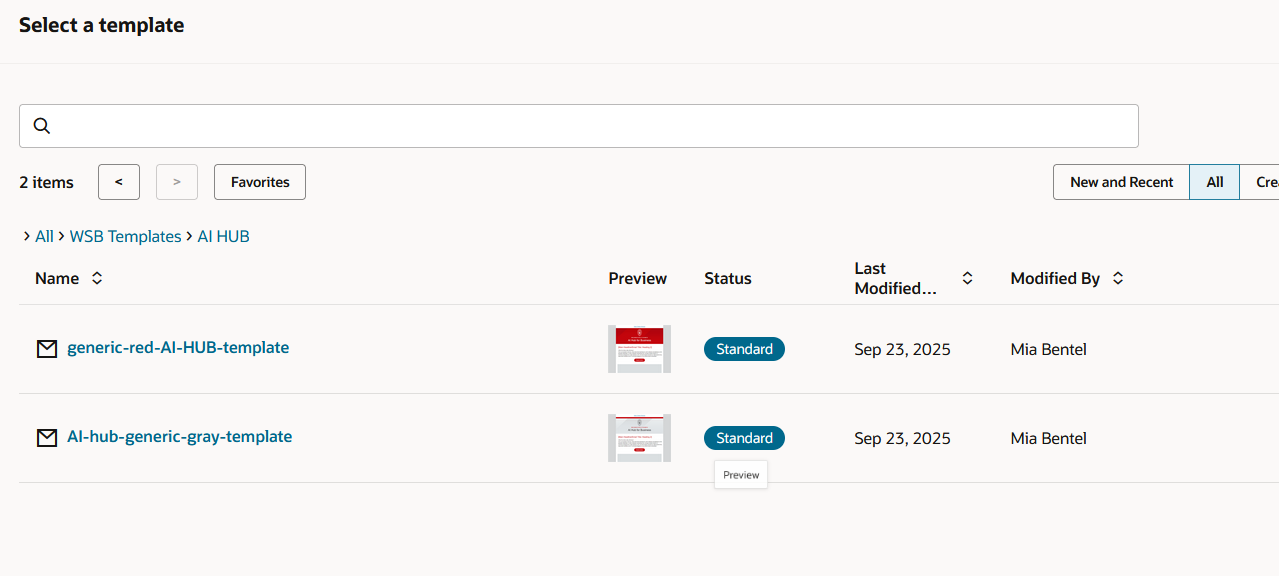 Image Modified Image Modified
- Once you select your template, you're ready to start editing!
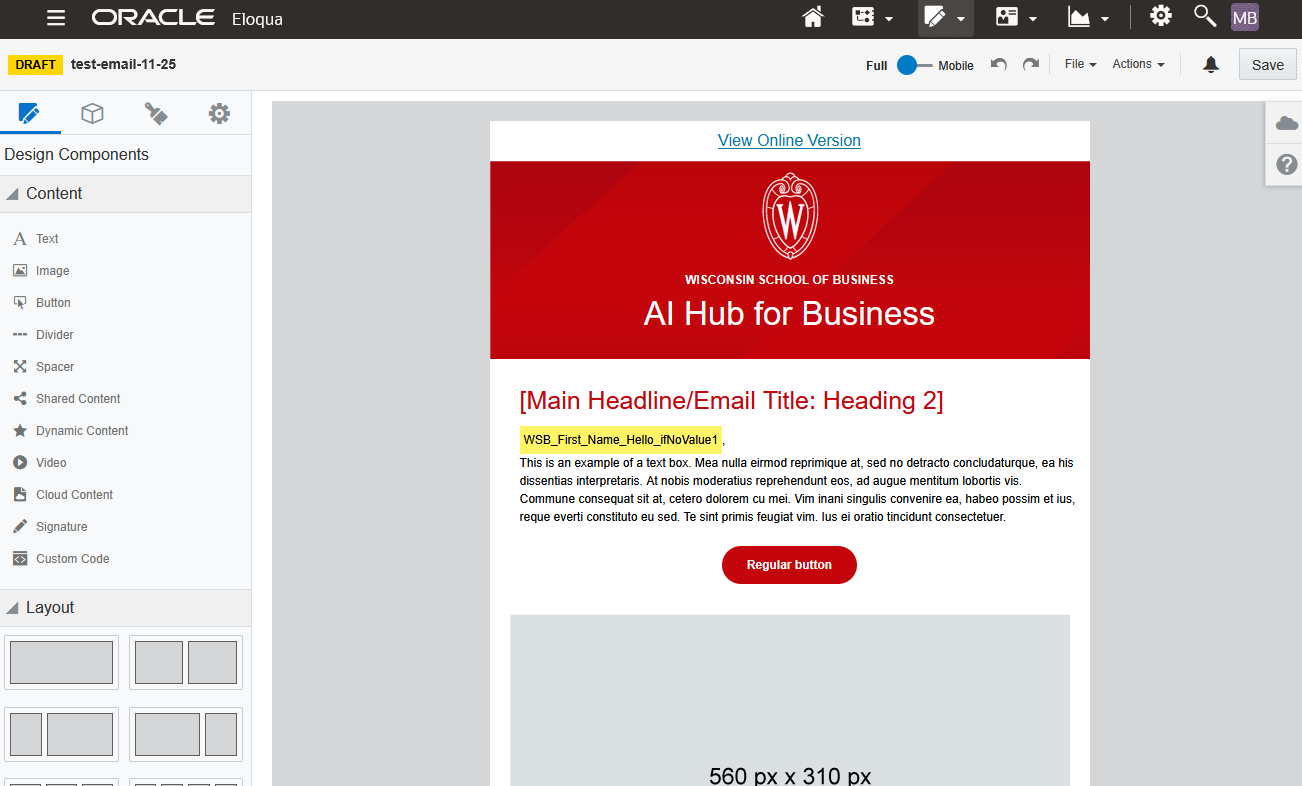 Image Modified Image Modified
|
Editing Your Email
WSB email templates are designed to include everything you need- and a lot of what you don't. You will probably be deleting most sections of your email, keeping only the parts you need for that particular email send.
...
