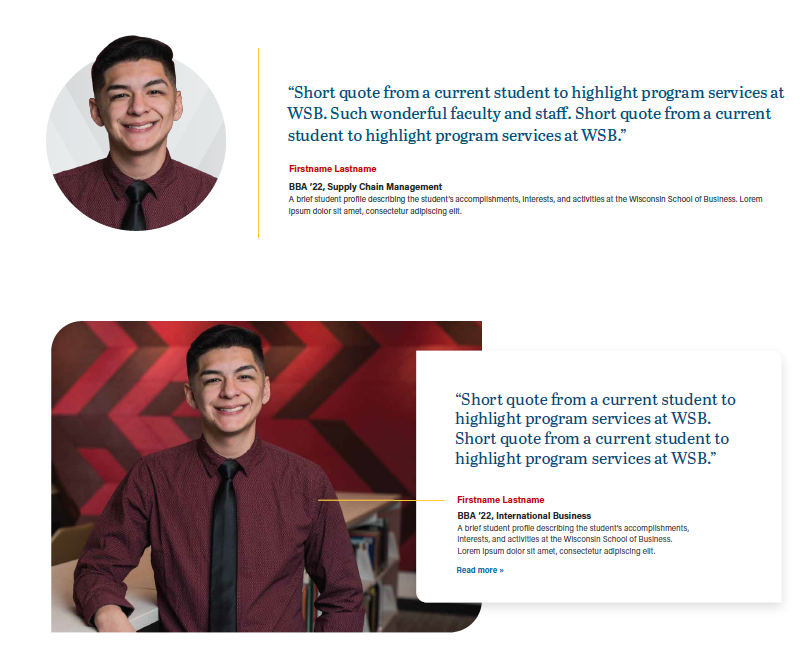
...
- Image
Photo of the person being quoted. The photo should have the "circle crop treatment" - ask a designer to edit the headshot if there isn't one already. Simply cropping to a circle is okay for articles, but on webpages it should always have this treatment. - Title/Microtitle (optional)
60 characters or less. Automatically gets styled to uppercase- please still use sentence case when entering into the field. - Quote (optional, but recommended)
The quote. Do not include quotation marks, those are added automatically. Try to keep under 4 lines (~400 characters including spaces, or ~50 words). - Author and Author Link
- Author (optional, but recommended) - the name of the person, plus their grad year, if appropriate. Do not use a dash in front of the name.
- Author Link (optional) - This field appears after you add the Author's name. The URL to their profile, or maybe an article about them, spotlight, etc.
- Position/Title (optional)
"Position, Company" or their degree program or other important info. - Supporting Content (optional)
Any other additional info- keep this short. Text wraps to a new line after 80-90 characters. Keep under ~160 characters (~25 words) - Link (optional)
Link to relevant article, page, etc. - Swiper (optional)
If there is more than one testimonial in a block, a swiper will appear. You can turn off the swiper by checking the "Stack Testimonials" option in Configuration, which will stack the testimonials on top of each other instead.
...
- Displaying an impactful testimonial from a student/alumni
- Spotlighting faculty/staff
- Displaying a testimonial from a corporate partner/business. You can use a photo of the person, or the logo of the business.
- Linking to a profile/spotlight
- (less common) Displaying bio information about faculty/staff, typically how they can support students.
...
Standard Layout- Circle Crop headshot
- Dimensions: ~461x512 ~512x569px
- Ask designers to do the circle crop treatment to a headshot.
Company logos can just be placed as is.
Full-width Layout
- Dimensions: 1536px wide by any height
- Note that the width:height ratio will affect the height of the block. The taller the image relative to the width, the taller the block.
...
See Anatomy section, above, for the list of fields.
Resources
Dev Notes
Previously known as "Testimonial - Person", the Testimonial block is used for both individual and company testimonials. The "name" field in the block.json file for the testimonial block remains "acf/testimonial-person" in order to prevent the breaking of existing blocks.
Old design (updated 6/2026)
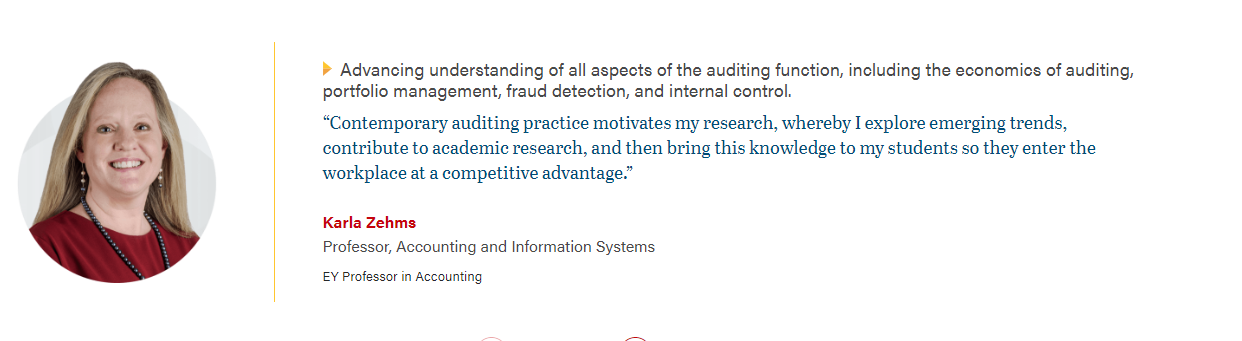
Removed Features
The "Overlap" and "Stretch Link" options have been removed as of 4/3/24. To get the "overlap" effect, use a horizontal card instead.