
...
If you'd like to learn more, click "View Participants"
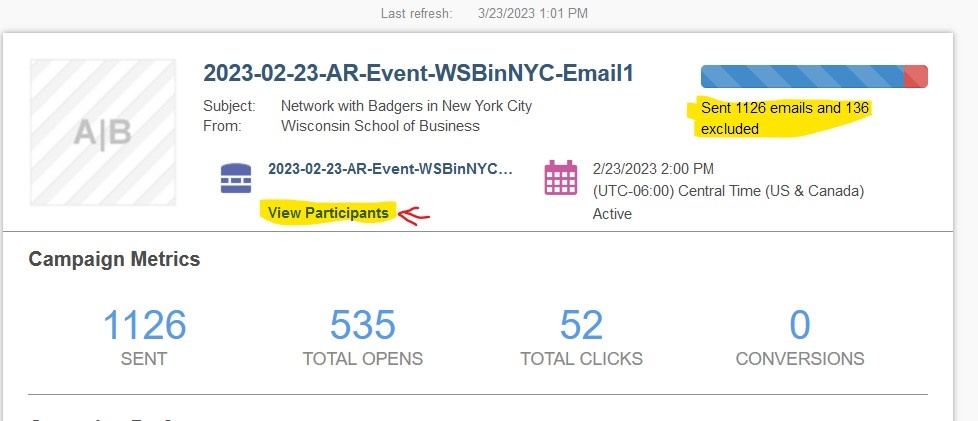
Click the "Excluded" tab, then select "UW Default Excluded view" from the dropdown on the right.
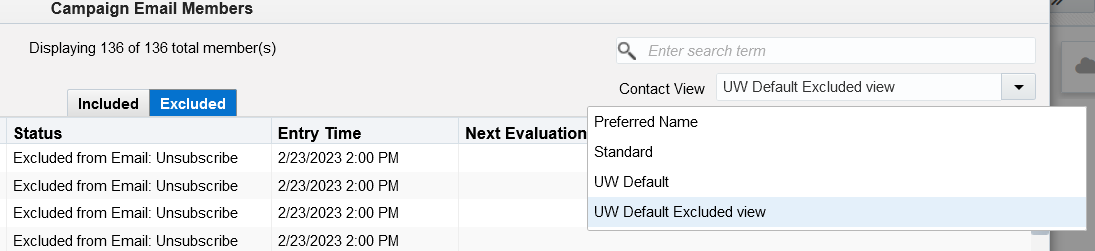
In the Status column, you'll see that an email was excluded either because of "Unsubscribe" or "Bounceback".
...
Bounceback means that Eloqua has attempted to email them before, but it did not go through, and they were marked as an invalid email. Note: if a wisc.edu user receives an email from a Sender Email that does not end in @explore.wisc.edu, the wisc.edu email will bounce the email, and it will be marked as invalid.
If you know that someone unsubscribed by accident, please email webteam@wsb.wisc.edu with a screenshot/forwarded email of that person asking to be resubscribed.
If you know an email should not be marked as invalid, email webteam@wsb.wisc.edu and we will reset their status.