
...
- Open the person record.
- Scroll down to 'Communications and Notes', or use the navigation bar next to the person record's name to quickly jump to it.
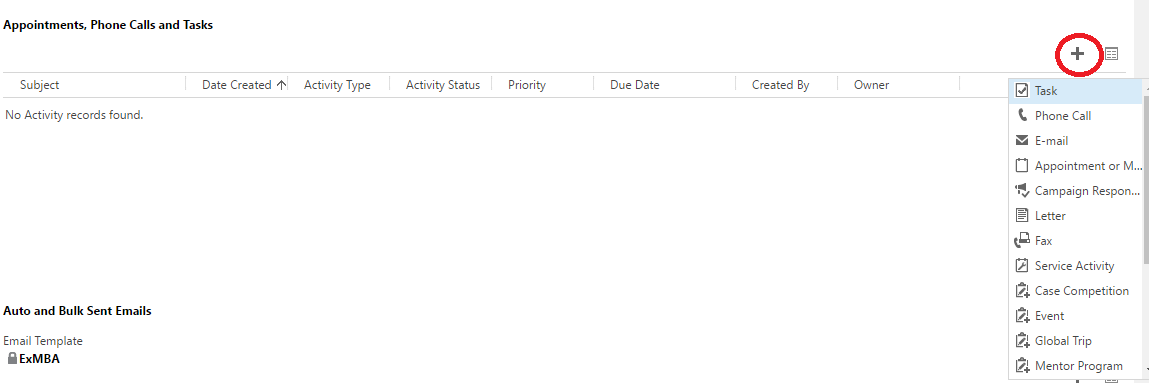
- Under appointments, click on the plus sign on the right hand of the screenellipsis next to Add Task.
- Select the activity you would like to create.


| Anchor | ||||
|---|---|---|---|---|
|
...
...
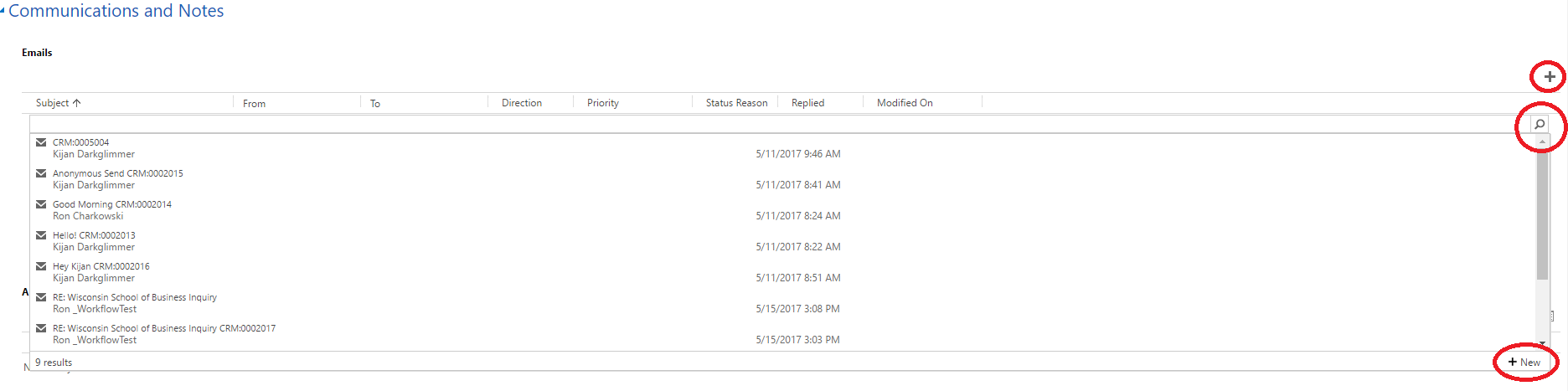
- Navigate to 'Communications and Notes'. Click on the plus sign to the right, then the search button which appears below, and then the new button which appears below that.
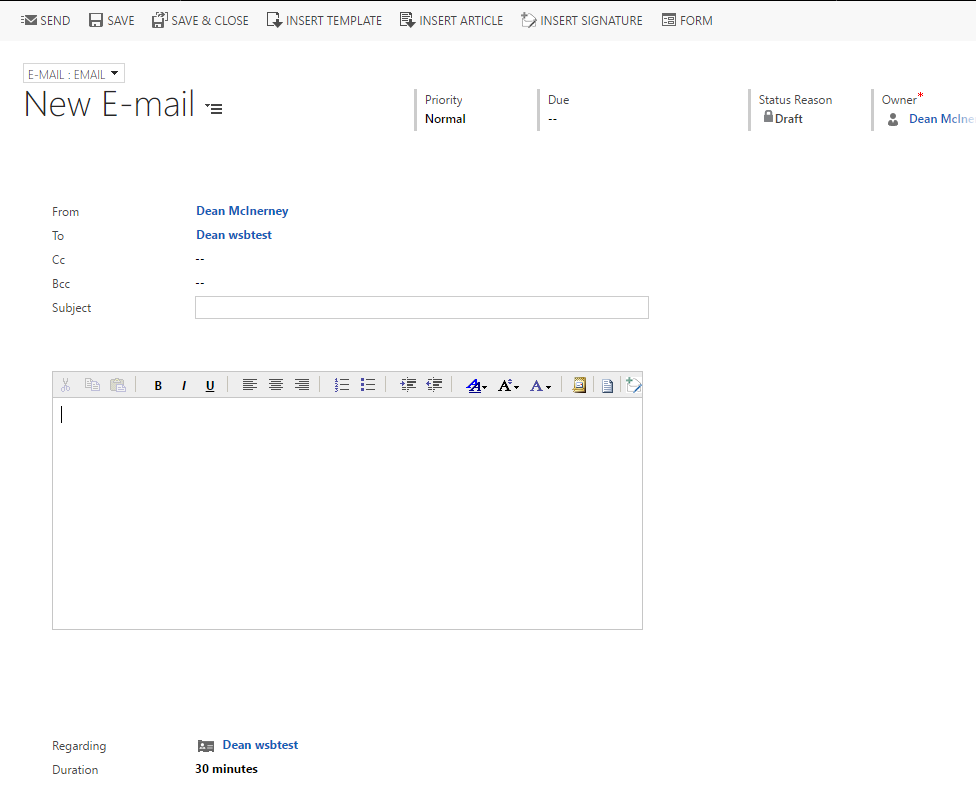
- Verify it is being sent to the correct person, and fill in the information for the email (CC, Subject, and the body of the email).
- To send the email, select "Send"
- If you have a Business Template saved, you may also use the "Insert Template" function.
...


| Anchor | ||||
|---|---|---|---|---|
|
Add a Task
- Open a person record.
- Navigate to 'Communications and Notes', as shown in the screenshots at the beginning of this article.
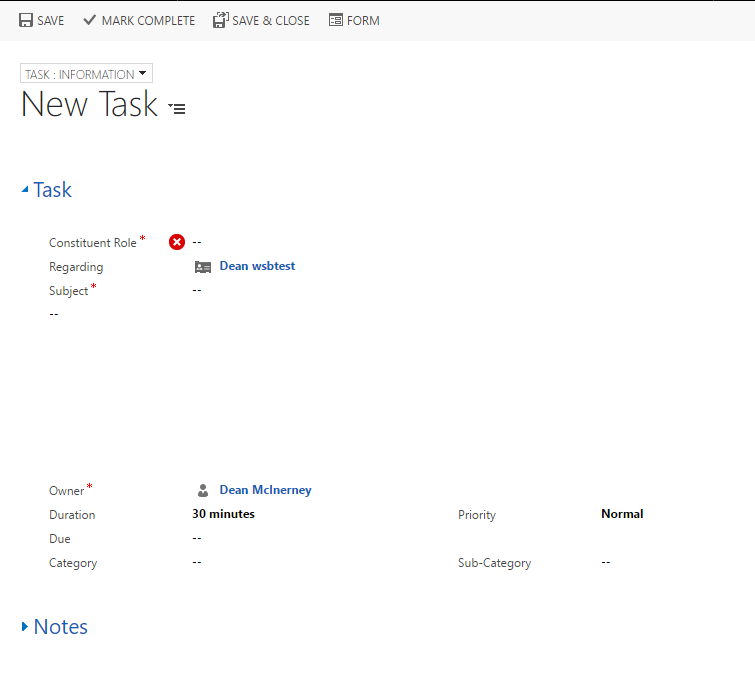
- Enter the constituent role, and then select the action which is occurring.
- Enter the subject.
- Enter in any relevant information about the task, such as what the agenda is, when it is due, etc.
- Once the task has been finished, make sure to select "Mark Complete" at the top left of the screen.
...
- Open a Person Record.
- Select 'Communications and Notes' from the Navigation menu.
- Scroll down to the Notes.

- Click within the text box which states "Enter a note."

- To attach a file to the note, scroll down within the text box and click on the "Attach" button.

- Click 'Done' when you are finished entering information into the note.