
...
On this page:
Table of Contents
Image requirements
Images must meet these requirements before you upload them:
- Images must be under 5MB.
- Run your image through tiny-png to optimize it as much as possible.
- Size your image appropriately. The largest size image you should be uploading is 2400px x 1600px (photoshelter's large size), but many images don't need to be that big.
- For more detailed information on image sizing, see our Images documentation.
Upload an Image to the WP Media Library
- Save the file somewhere on your computer (desktop, documents, etc.)
- Login to WP at https://business.wisc.edu/wp-admin
- On the left side, select Media
...
- Open the WP Media Library
- Use either (1) the folder structure on the left or (2) the search bar in the upper right to look for your image
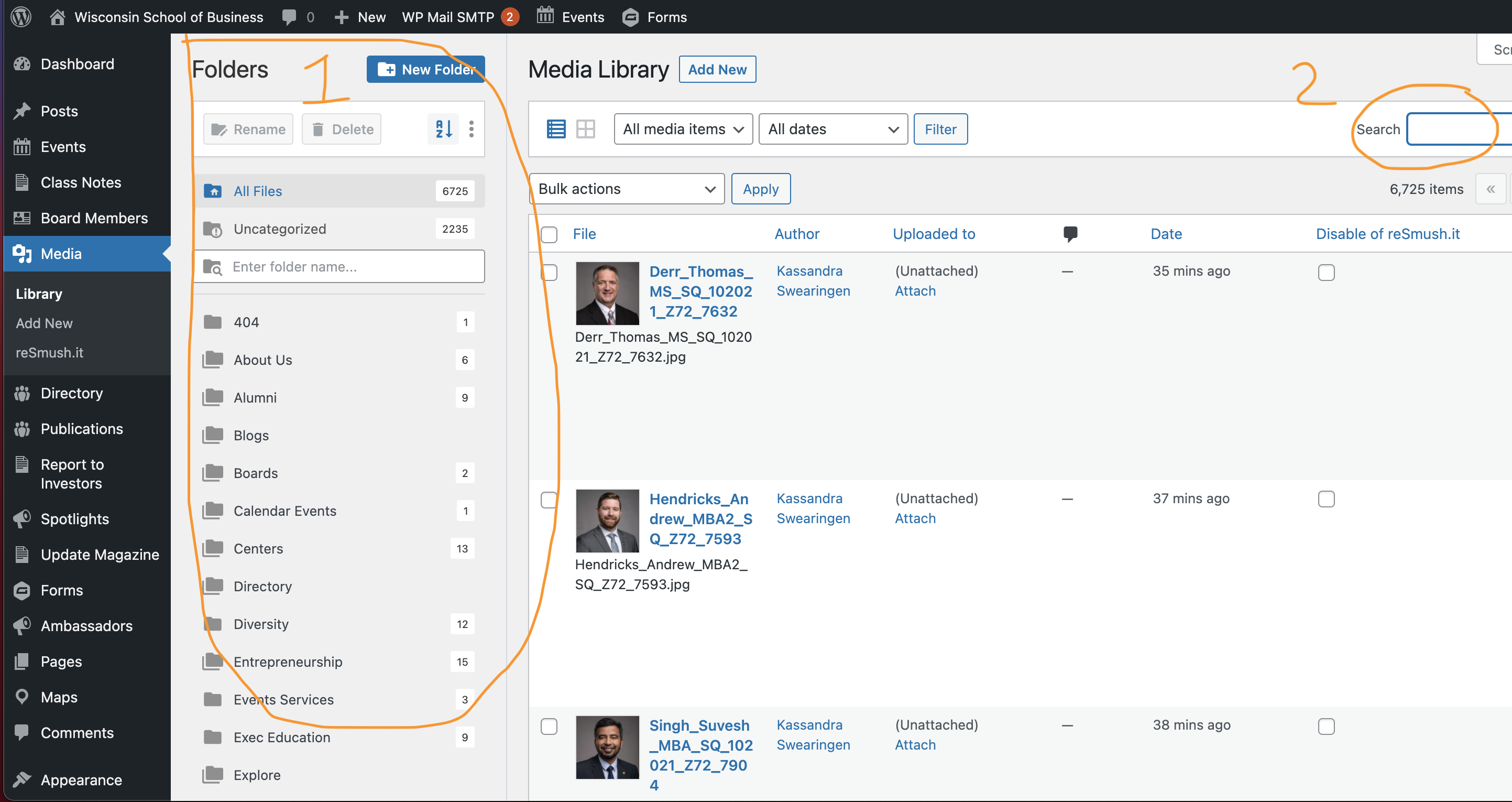
Using the Media
...
Folders
- Click on the name of a folder to see media items within.
- Click on the folder icon next to the name of the folder to expand it and view any folders within it.
- If a folder is already expanded, clicking the icon will minimize/close it.
- Drill down to the applicable folder and look for your image in the displayed results.
- If you aren't seeing images that you know should be in the folder, make sure you delete any criteria you may have had in the search bar and click the search button to expand the results to everything in the folder.
...
Searching for an Image
- The media search is useful if you know the exact name of your media file (or at least part of the name).
- If you don't get any results from your search, try making it shorter or less specific.
- You can try searching for a keyword or name, but if the search criteria is not part of the name of a media file, it will not show up in results.
- e.g. If you search "Samba" and the particular photo you are looking for is named "img-33690.jpg", that image will not show up in the search results, even if Dean Samba is in the photo.
...
Alt text allows visually-impaired individuals (or anyone who uses a screen reader) to understand what content is in an image. Without alt text, these users cannot access this information. We want all users to have access to all of the information on our website.
Alt text is good beneficial for all users, though! It will be displayed on the page if the images ever fail to load or are blocked.
...