
...
Card section
- Name - person's name and parenthesis for graduation program and year
- Title - limited to 75 characters
- Card Image - you can use the standard image size of 2400x1600px for horizontal images. You can use vertical images as well to make the cards vertical, but you will need a horizontal image for the modal.
- Crop image to circle? - use for headshot images
Modal Popup section
- Modal Title Override - can override the card title. This can have more characters, but it's still best practice to keep the title short.
- Supporting Details - WYSIWYG for job titles, company, or majors
- Modal Image Override - you can override the full width image used in the card section
- Modal Text - WYSIWYG for modal copy. You will need to use inline classes and HTML for styles.
- Modal code template - contains code and styling classes for elements such as horizontal rules, microtitle subheadings with yellow triangles, and pull quotes
- To use template - copy and paste the code below into WYSIWYG field, then modify to fit your content
Expand title View code template Modal Code template
Add copy here
<figure class="wp-block-pullquote mx-0 my-4 text-start">
<p class="fs-5">add quote here</p>
</figure>Add copy here
<hr class="hr-gray my-5" />
<h3 class="microtitle mb-3"><img class="microtitle-arrow" alt="" src="/wp-content/uploads/2024/10/Two-toned-yellow-arrow-digital-100x164-1.png" width="9" height="15" aria-hidden="true" /> Subheading</h3>
Add copy here
<figure class="wp-block-pullquote m-0 text-start">
<p class="fs-5">Add quote here</p>
</figure>How it looks:
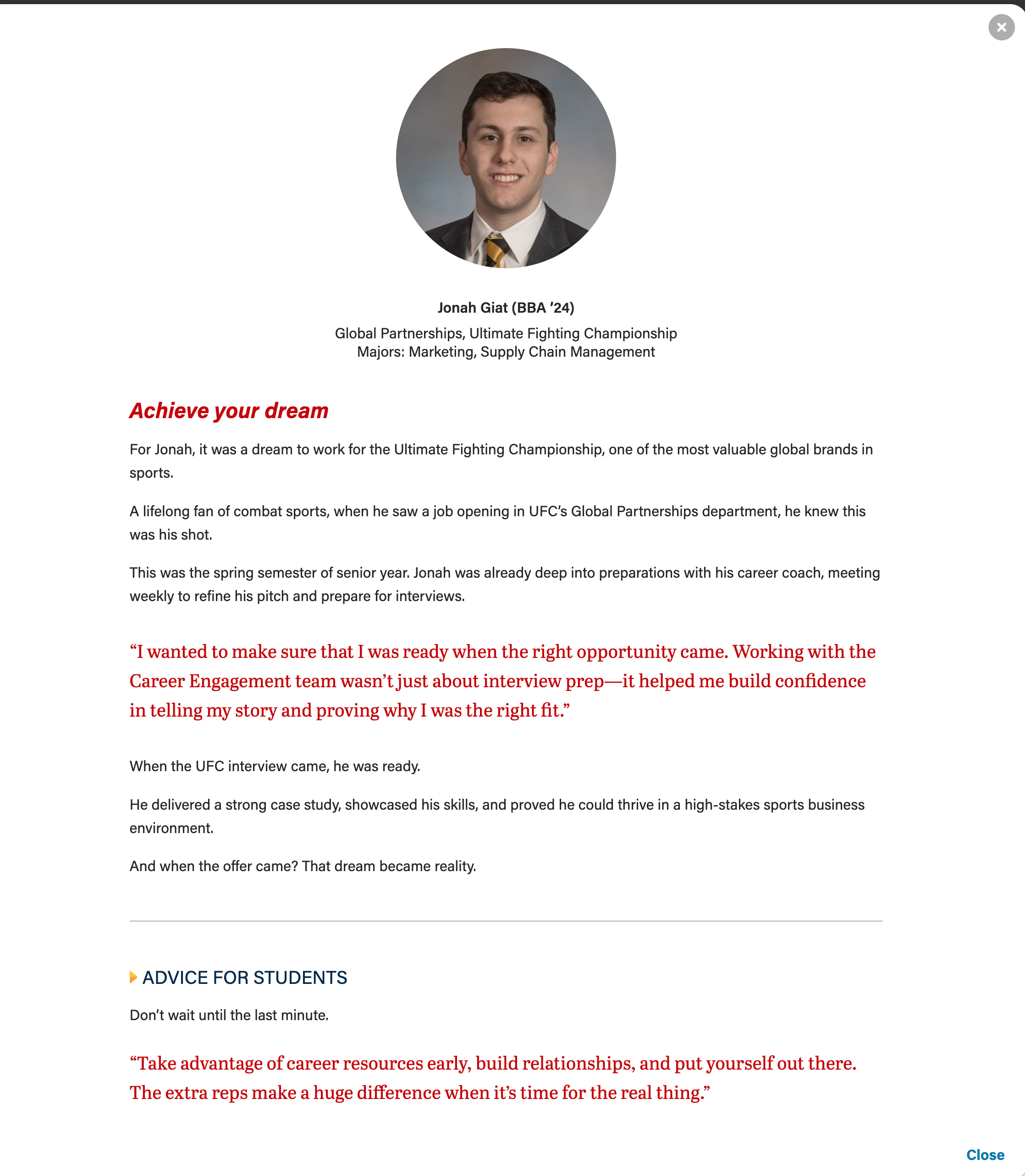
- Modal code template - contains code and styling classes for elements such as horizontal rules, microtitle subheadings with yellow triangles, and pull quotes
Configuration section
- Number of columns - you can select one, two, or three columns. Three columns is the default.
- Please note that headshot should only be used with two and three columns.
- Stretch link? - this will make the modal open when a user selects anywhere on the card. Checked is the default.
- Number of columns - you can select one, two, or three columns. Three columns is the default.
Introduction and Footer sections
- These are standard sections for all the cards.