
...
A block designed to be used once at the top of every Page. The block spans full-width and has 3 4 layout options.
Jumbotron with link  | Jumbotron with no link
|
|---|

...
50/50 with link
| 50/50 with no link
|
|---|
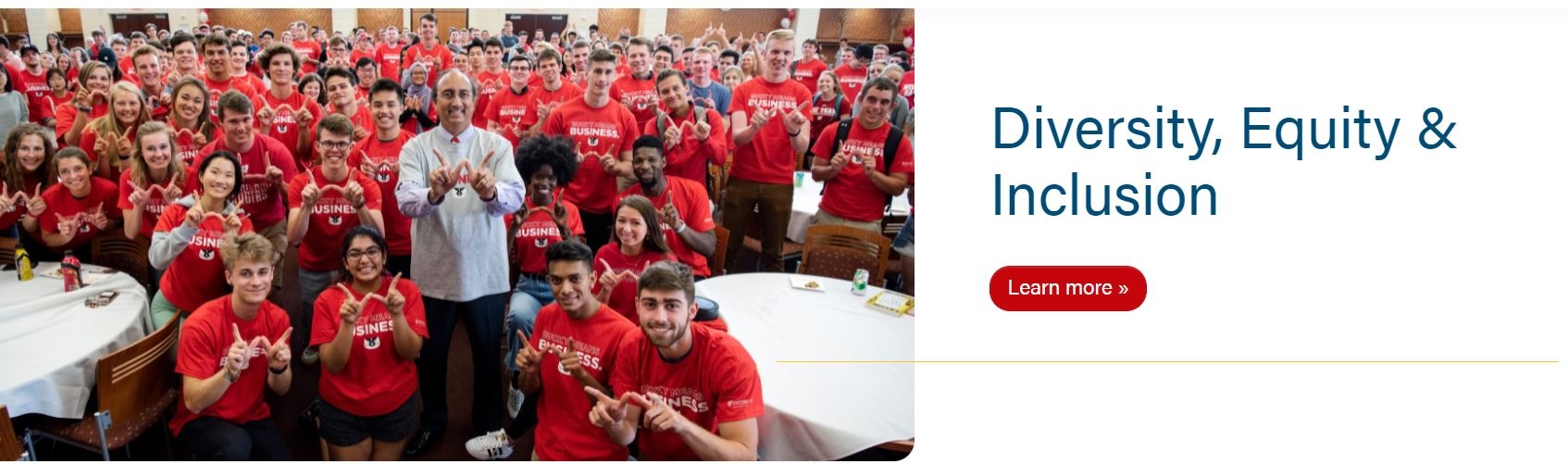

Pattern with no link
| Custom Pattern with link
|
|---|


Use Cases
Use as the first block to introduce a page.
...
- Choose between a Jumbotron, 50/50 Split, Pattern, or Custom Pattern.
- Note: With Jumbotron and 50/50 Split types, you can add an image. Make sure the image is high quality and around 2400x1200.
- Note: With Pattern type, you can add a Micro Title (usually a tagline or a secondary title) above the H1.
- With Pattern type, choose between a Gray, White, Blue or Red background.
- Note: Jumbotron has a random hero image option. You will need to check the Randomize images? field.
- You will need to add copy to the description field of an image for the caption.
- Note: With Custom Pattern type, you can add a custom background pattern image (SVGs are generally used).
- Custom Pattern has a Micro Title, text color, and two fields for background color and button color (the color will be for the text in the button and background color when the hover effect is active).
- Custom background images shouldn't have transparent sections as the background color will show in the transparent sections.

Title
- Add the H1 of the page.
- Note: Without a Hero, the page will display the title of the page as a black-text H1.

Copy
- Add supporting copy to introduce the page.
- Note: We typically add copy to parent pages (aka: program landing pages).
- Keep copy short, up to 40 words max.
- Note: We typically add copy to parent pages (aka: program landing pages).
Background Pattern Color and Background Pattern Button Color - fields are hidden unless Custom Pattern is selected
- Add a hex color (i.e. #c5050c with hashtag included) - choose a brand color that best fits the image and button
- Branded colors must be used - please see Brand Toolkit or variables.scss file for colors
Text Color - field is hidden unless Custom Pattern is selected and doesn't include the button
- There are 3 options: default, white, and black - choose the best option for the image
- default will have $red (#c5050c) H1 and $gray-800, or #494949, for the rest of the copy
- white - all the copy will be white
- black - all the copy will use $body-color variable, which is $gray-900 or #282728
Link
- Add a link to the hero.
- Note: Buttons are typically either application links or a link to a form to request more information about a program (aka: RFI).
- Enable to display the breadcrumbs of a page.
- Note: Some parent pages with no subpages do not need to display breadcrumbs (see Diversity, Equity, and Inclusion and About pages for example).
...