...
Implementation (in progress)
Variations (more screenshots showing additional features)
- Should be an orderly progression, not an attempt to show every possible combination
...
Other technical details we already include
Resources
- link to component mockup in Figma
Design + Images
Card photo (required)
...
- Requires 3 vertical photos.
- Recommended size: 700x1000px
Close up Source: AI Hub 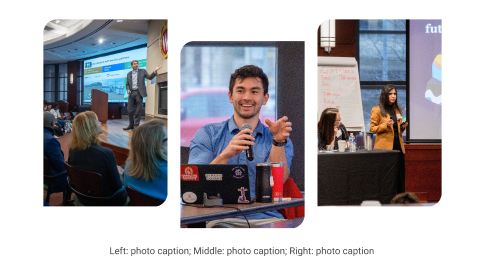 Image Modified Image Modified
| Inside modal  Image Modified Image Modified
|
| Code Block |
|---|
| language | html |
|---|
| title | Staggered Collage - dev notes and code |
|---|
| collapse | true |
|---|
|
DEV NOTES
* Images two and three are hidden for mobile screens.
* Can use a single caption for all three images for desktop. The mobile caption should just be for image one, since the others are not visible at that point.

CODE - WITH CAPTION
	<div class="staggered-wrapper mt-5">
		<div class="staggered-image-one image-one">
			<img decoding="async" class="image" src="" alt="" aria-describedby="staggered-collage-caption">
		</div>
		<div class="staggered-image-two image-two">
			<img decoding="async" class="image" src="" alt="" aria-describedby="staggered-collage-caption">
		</div>
		<div class="staggered-image-three image-three">
			<img decoding="async" class="image" src="" alt="" aria-describedby="staggered-collage-caption">
		</div>
		<div class="caption" id="staggered-collage-caption">
      		<p class="mobile-caption mt-0">Mobile Caption</p>
      		<p class="desktop-caption mt-1 text-center">Desktop Caption</p>
   		</div>
 	</div>


CODE - NO CAPTION
	<div class="staggered-wrapper mt-5 mb-0 pb-0">
		<div class="staggered-image-one image-one">
			<img decoding="async" class="image" src="" alt="">
		</div>
		<div class="staggered-image-two image-two">
			<img decoding="async" class="image" src="" alt="">
		</div>
		<div class="staggered-image-three image-three">
			<img decoding="async" class="image" src="" alt="">
		</div>
</div> |
| Code Block |
|---|
| language | html |
|---|
| title | Staggered Collage no caption |
|---|
| collapse | true |
|---|
|
|
| Mixed image collage 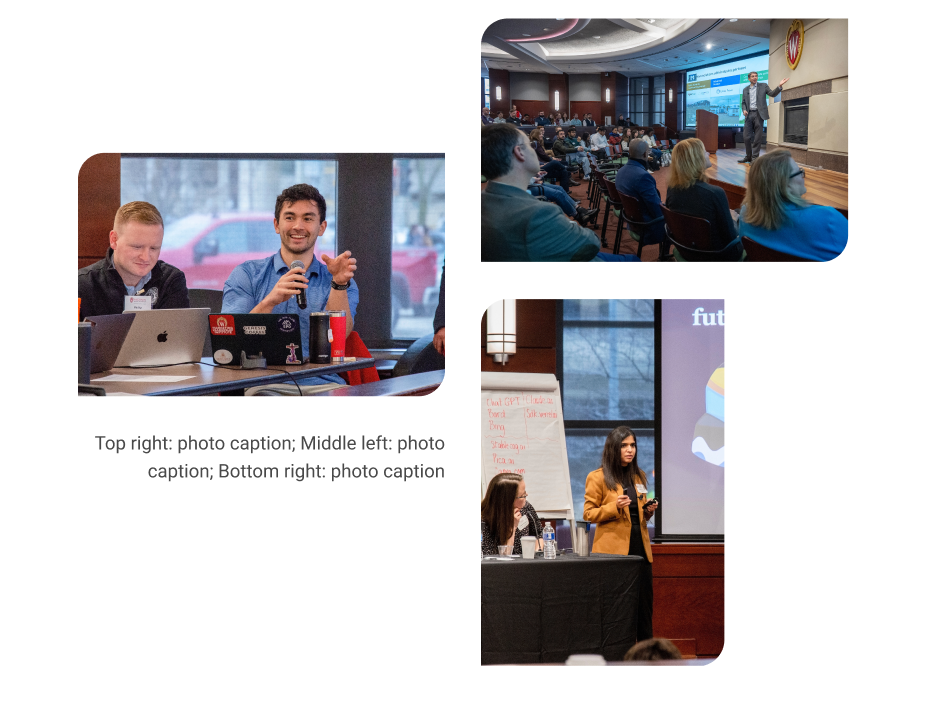 Image Modified Image Modified
|
|---|
Mixed collage (3 photos, 2 horizontal and 1 vertical)
- Requires 3 images; 2 horizontal and 1 vertical
Image one and two must be horizontal, image three vertical.- Image one and two size: 2400x1600px, smaller images with the same aspect ratio will also work, such as 512x341px or 1024x682px
- Image three sizeVertical image specs: 512x768px
- Image two and three are hidden for mobile screens.
- Can use a single caption for all three images for desktop. A mobile caption for just image one, since the others are not visible at that breakpoint.
| Code Block |
|---|
| language | html |
|---|
| title | Mixed Collage - dev notes and code |
|---|
| collapse | true |
|---|
|
DEV NOTES
* Image one and two must be horizontal, image three vertical
* Image two and three are hidden for mobile screens.
* Can use a single caption for all three images for desktop. The mobile caption should just be for image one, since the others are not visible at that point.

CODE - WITH CAPTION
|
| Code Block |
|---|
| language | html |
|---|
| title | Mixed Collage w/caption |
|---|
| collapse | true |
|---|
|
<div class="mixed-layout-collage">
   <div class="image-one">
      <img decoding="async" class="image brand-border-radius" src="" alt="" aria-describedby="mixed-collage-caption">
   </div>
   <div class="image-two">
      <img decoding="async" class="image brand-border-radius" src="" alt="" aria-describedby="mixed-collage-caption">
   </div>
    <div class="caption" id="mixed-collage-caption">
      <p class="mobile-caption pt-2">Mobile Caption</p>
      <p class="desktop-caption text-end">Desktop Caption</p>
   </div>
   <div class="image-three">
      <img decoding="async" class="image brand-border-radius" src="" alt="" aria-describedby="mixed-collage-caption">
   </div>
</div> |
| Code Block |
|---|
| language | html |
|---|
| title | Mixed Collage no caption |
|---|
| collapse | true |
|---|
|
CODE - NO CAPTION
<div class="mixed-layout-collage">
   <div class="image-one">
      <img decoding="async" class="image brand-border-radius" src="" alt="">
   </div>
   <div class="image-two">
      <img decoding="async" class="image brand-border-radius" src="" alt="">
   </div>
   <div class="image-three">
      <img decoding="async" class="image brand-border-radius" src="" alt="">
   </div>
</div> |
...
| Code Block |
|---|
|
<ul class="career-points">
 	<li>Point 1</li>
 	<li>Point 2</li>
 	<li>Point 3</li>
</ul> |
| Code Block |
|---|
| language | html |
|---|
| title | Image + Text |
|---|
collapse | true
Resources
- link to component mockup in Figma
