
...
- No character limit, but keep the length within reason. Typically, modal content spans 3 to 6 short paragraphs.
- Follow web best practices for keeping content easy to digest and scannable
- Use subheadings if you include more than 2 paragraphs
- We can include a variety of content here, such as:
- paragraphs
- pullquotes
- supporting images
- photo collages
- an embedded YouTube video
Design
...
Images
Card photo (required)
- Circle crop photo
- Square photo with face centered; use a headshot or another type of photo where the person is facing the camera
- 500x500px or 1000x1000px
- Full-width photo
- Standard horizontal photo; use a portrait or environmental shot
- Dimensions - 2400x1600px
- Face should be in top 1/3 of image so it doesn't get covered by text at the bottom
- We can add vertical images to make the cards taller, if desired. But all photos for cards in the same row/block should have the same dimensions.
- Standard horizontal photo; use a portrait or environmental shot
...
| Code Block | ||||||
|---|---|---|---|---|---|---|
| ||||||
DEV NOTES
* Image one and two must be horizontal, image three vertical
* Image two and three are hidden for mobile screens.
* Can use a single caption for all three images for desktop. The mobile caption should just be for image one, since the others are not visible at that point.

CODE - WITH CAPTION
<div class="mixed-layout-collage">
   <div class="image-one">
      <img decoding="async" class="image brand-border-radius" src="" alt="" aria-describedby="mixed-collage-caption">
   </div>
   <div class="image-two">
      <img decoding="async" class="image brand-border-radius" src="" alt="" aria-describedby="mixed-collage-caption">
   </div>
    <div class="caption" id="mixed-collage-caption">
      <p class="mobile-caption pt-2">Mobile Caption</p>
      <p class="desktop-caption text-end">Desktop Caption</p>
   </div>
   <div class="image-three">
      <img decoding="async" class="image brand-border-radius" src="" alt="" aria-describedby="mixed-collage-caption">
   </div>
</div>

CODE - NO CAPTION
<div class="mixed-layout-collage">
   <div class="image-one">
      <img decoding="async" class="image brand-border-radius" src="" alt="">
   </div>
   <div class="image-two">
      <img decoding="async" class="image brand-border-radius" src="" alt="">
   </div>
   <div class="image-three">
      <img decoding="async" class="image brand-border-radius" src="" alt="">
   </div>
</div> |
...
Variations
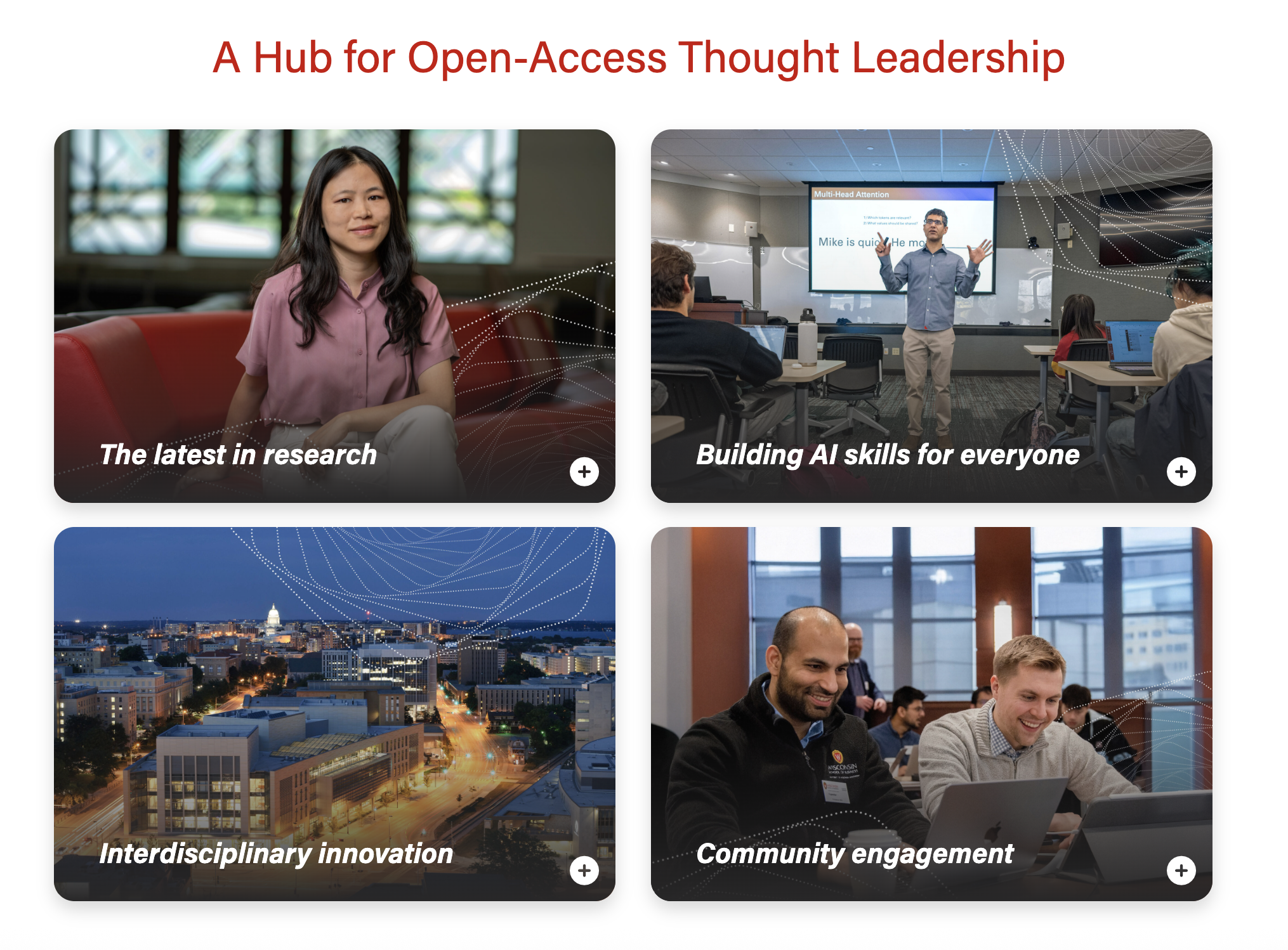
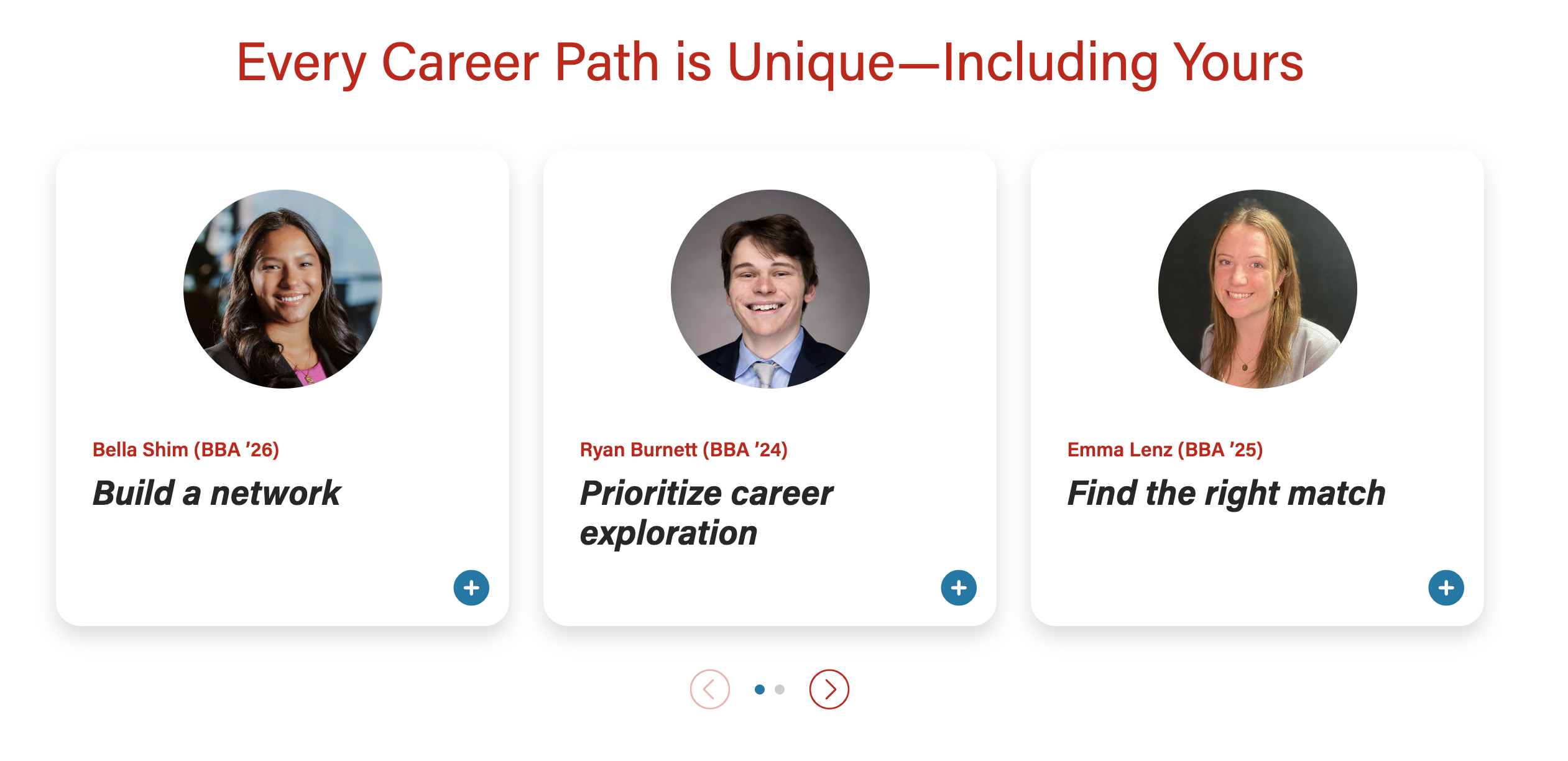
- Cards can be stacked or in a swiper
Stacked
Swiper
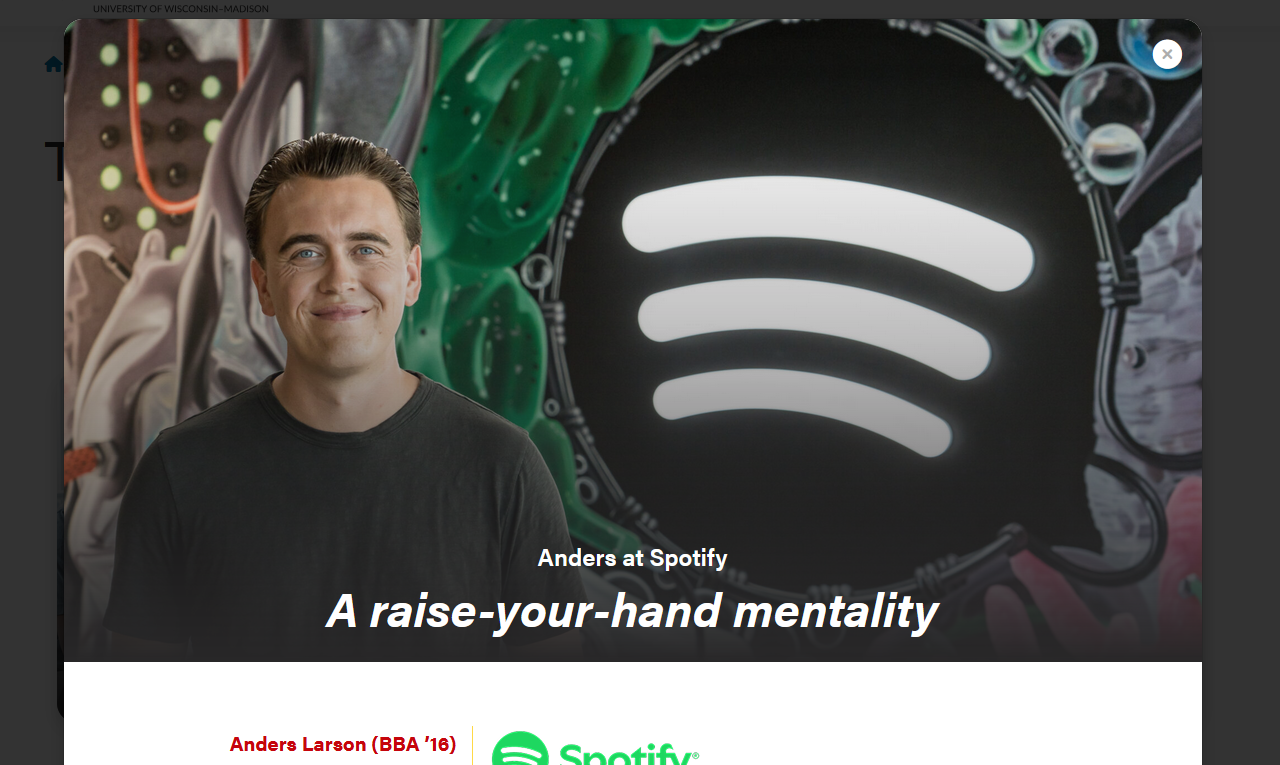
- When card images are full-width, the modal header can have a 50/50 or full-width image
50/50 modal header image

...
Full-width modal header image – text sits on the image, with a dark gradient overlay for contrast.
...
Additional modal
...
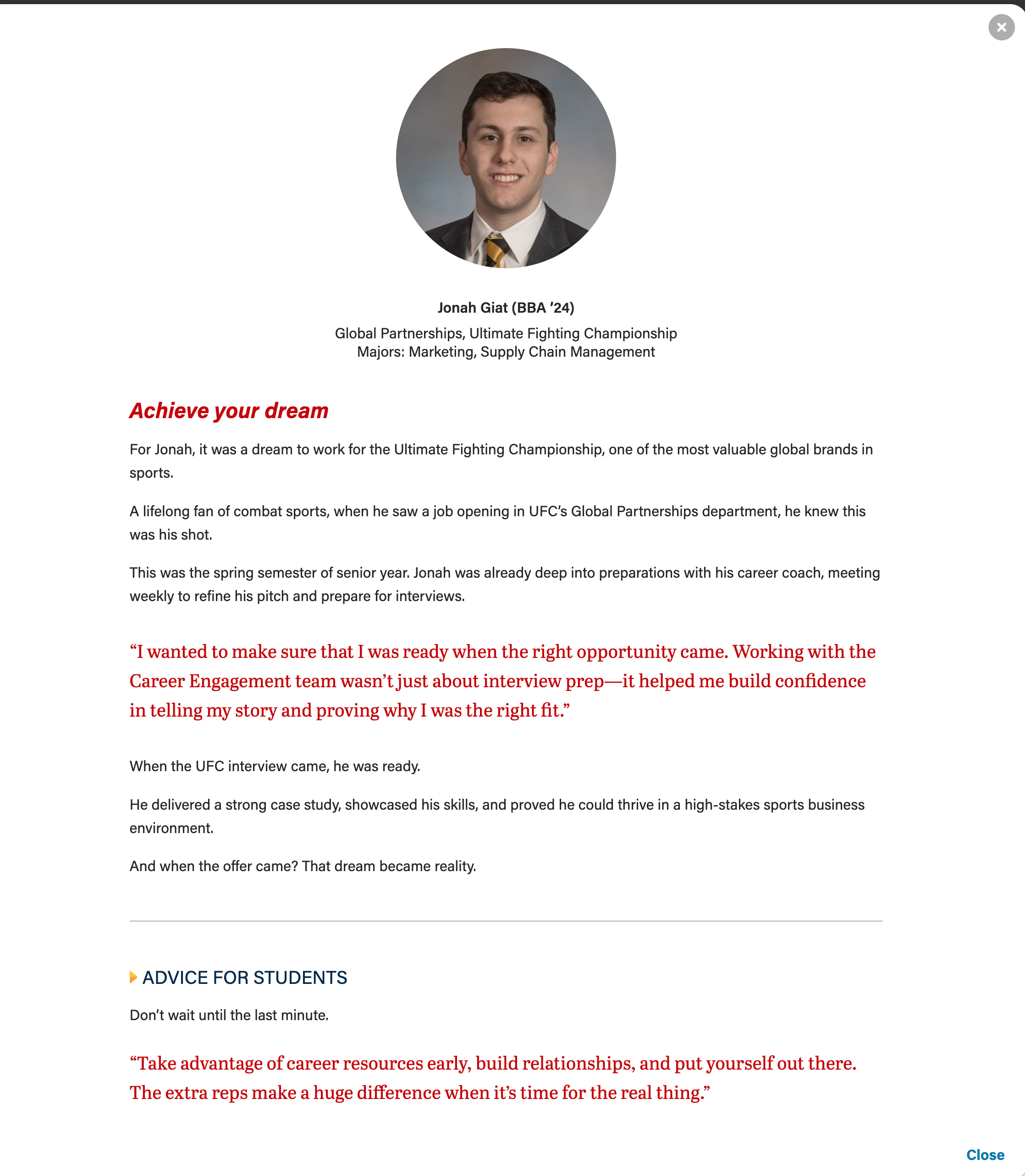
design options:
- red pullquote
- gray horizontal rule
- microtitle (yellow triangle, subhead styled
...
- in all caps
...
- , dark blue text)
Example showing pullquote, horizontal rule, and microtitle
| Code Block |
|---|
...
|
Card
Remind writer/strategist to limit the amount of copy in the cards, since more detail can be shown in the modal. This is especially true for the full-width photo layout, since we don't want the copy to wrap and be so tall it covers faces in the card photos.
- Microtitle (optional) - Keep this short.
- This content will display in the modal header by default. Set the "Display card microtitle in modal header?" field to "no" if you want to hide it in the modal
- Title (required) - This field must have content so the card has an html heading
- This content will display in the modal header by default. Add content to the "Modal Title Override" field to replace it.
- Card Supporting Copy (optional) - Used sparingly.
- Use this field OR the microtitle field, especially for cards with full-width background images.
- This content will not be displayed in the modal
- Card Image
- For circle crop - face must be centered in a square photo
- For full-width image - face should be in top 1/3 of the image
- If using a vertical photo for the card, you will need to add a horizontal version to the modal image override field for the image to display correctly at the top of the modal.
- Crop image to circle? - use for square images, including headshots
Modal Popup
- Display card microtitle in modal header? - true/false, pulls Microtitle subfield from Card and displays in modal above title.
- Full width image? - makes image full width inside the modal header instead of half width.
- Recommend using Modal Image Override field with this, to ensure the card image and modal image work well with each other.
- Modal Title Override - Use this to override the card title with different text for the modal header. This field can have more characters than the card title, but it's still best practice to keep the title short.
- Supporting Details - WYSIWYG for job titles, company, or majors
- Modal Image Override - Use this to override the full-width card image. It is unlikely you will need this field for circle crop images.
- Modal Text - WYSIWYG for modal copy. You will need to use inline HTML and CSS classes for styles.
- Copy code snippets above
Configuration
- Number of columns - you can select one, two, or three columns. Three columns is the default.
- The headshot/circle crop style should only be used with two and three column layouts. (The image looks too small for a card in a single column layout)
- If you run into issues with card copy being too long, either ask the copywriter to shorten the copy or
- Stretch link? - this will make the modal open when a user selects anywhere on the card. Checked is the default.
Introduction and Footer
- These are standard sections for our custom blocks.
Code Templates for Modal Content
Modal content is added in a WYSIWYG field, so you'll need to add HTML elements with classes for styling. Copy the code below for the content you need:
Modal with pullquote, horizontal rule <hr>, and microtitle styling for last subhead
| |||||
Pullquote
* Can adjust or remove "my-4" class if needed. Author and cite elements are optional.

<figure class="wsb-pullquote mx-0 my-4">
    <p class="quote">add quote here</p>
    <p class="author"><cite> add speaker name here</cite></p>
</figure>


Horizontal rule
* Removing "hr-gray" will make the line yellow instead.

<hr class="hr-gray my-5" />


Microtitle style for subheads (with yellow triangle)
* These styles can be used on any heading level.

<h3 class="microtitle mb-3"><img class="microtitle-arrow" alt="" src="/wp-content/uploads/2024/10/Two-toned-yellow-arrow-digital-100x164-1.png" width="9" height="15" aria-hidden="true" /> Subheading</h3> |
Implementation
ACF Fields
Card
Remind writer/strategist to limit the amount of copy in the cards, since more detail can be shown in the modal. This is especially true for the full-width photo layout, since we don't want the copy to wrap and be so tall it covers faces in the card photos.
- Microtitle (optional) - Keep this short.
- This content will display in the modal header by default. Set the "Display card microtitle in modal header?" field to "no" if you want to hide it in the modal
- Title (required) - This field must have content so the card has an html heading
- This content will display in the modal header by default. Add content to the "Modal Title Override" field to replace it.
- Card Supporting Copy (optional) - Used sparingly.
- Use this field OR the microtitle field, especially for cards with full-width background images.
- This content will not be displayed in the modal
- Card Image
- For circle crop - face must be centered in a square photo
- For full-width image - face should be in top 1/3 of the image
- If using a vertical photo for the card, you will need to add a horizontal version to the modal image override field for the image to display correctly at the top of the modal.
- Crop image to circle? - use for square images, including headshots
Modal Popup
- Display card microtitle in modal header? - true/false, pulls Microtitle subfield from Card and displays in modal above title.
- Full width image? - makes image full width inside the modal header instead of half width.
- Recommend using Modal Image Override field with this, to ensure the card image and modal image work well with each other.
- Modal Title Override - Use this to override the card title with different text for the modal header. This field can have more characters than the card title, but it's still best practice to keep the title short.
- Supporting Details - WYSIWYG for job titles, company, or majors
- Modal Image Override - Use this to override the full-width card image. It is unlikely you will need this field for circle crop images.
- Modal Text - WYSIWYG for modal copy. You will need to use inline HTML and CSS classes for styles.
- Copy code snippets above
Configuration
- Number of columns - you can select one, two, or three columns. Three columns is the default.
- The headshot/circle crop style should only be used with two and three column layouts. (The image looks too small for a card in a single column layout)
- If you run into issues with card copy being too long, either ask the copywriter to shorten the copy or
- Stretch link? - this will make the modal open when a user selects anywhere on the card. Checked is the default.
Introduction and Footer
- These are standard sections for our custom blocks.
Code Templates for Modal Content
Modal content is added in a WYSIWYG field, so you'll need to add HTML elements with classes for styling. Copy the code below for the content you need:
Modal with pullquote, horizontal rule <hr>, and microtitle styling for last subhead |
|---|
| Code Block | ||
|---|---|---|
|
Microtitle styles for subheads (with yellow triangle)
These styles can be used on any heading level.
| Code Block | ||
|---|---|---|
| ||
<h3 class="microtitle mb-3"><img class="microtitle-arrow" alt="" src="/wp-content/uploads/2024/10/Two-toned-yellow-arrow-digital-100x164-1.png" width="9" height="15" aria-hidden="true" /> Subheading</h3> |
Horizontal rule
| Code Block | ||
|---|---|---|
| ||
<hr class="hr-gray my-5" /> |
Pull quote
Can adjust or remove "my-4" class if needed. Author and cite elements are optional.
| Code Block | ||
|---|---|---|
| ||
Career Points (for T2L4)

Just add the "career-points" class to any ul to get this styling.
...