
...
- Go to https://pixlr.com/ and open PIXLR X.
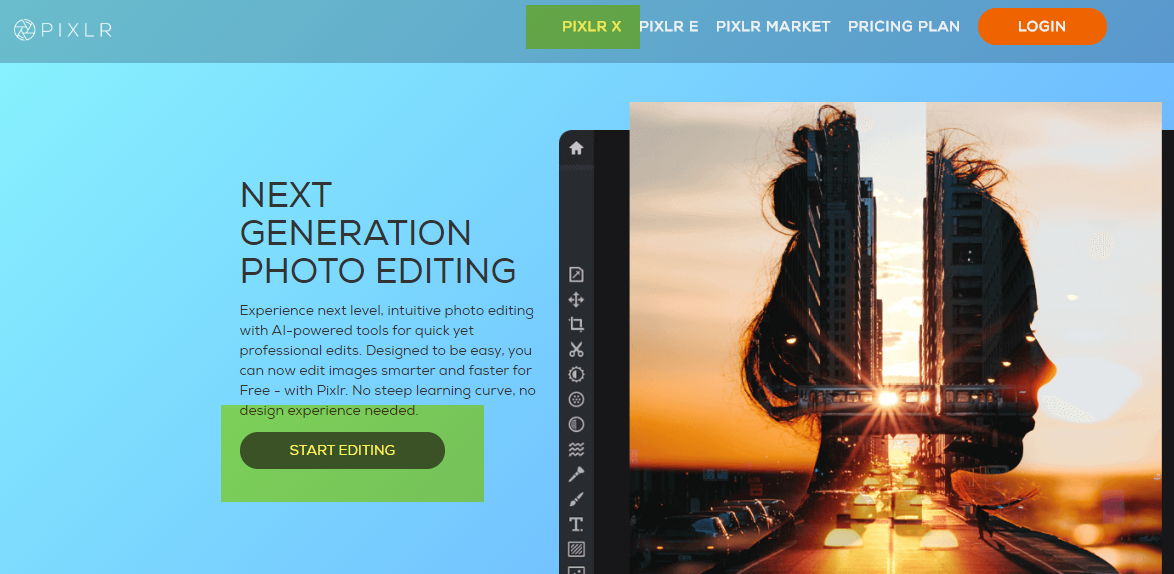
- Click Open Image and select a photo you want to re-size.

- Click on "Properties" and "Re-Size Image" to verify the image is larger than the final image size needed. Compare the current width and height to the needed size (e.g. if the iamge is 1200 x 802 pixels it can be cropped down to 580 x 300 pixels or 116 x 116 pixels).

...
How-to Resize an Image
- Open an image in PIXLR X and click on "Properties".
- Click on "Resize Image".
- With "Constrain proportions" on change the width or height to the desired width.
- Click Apply.

...
How-to Crop Out a Section of an Image
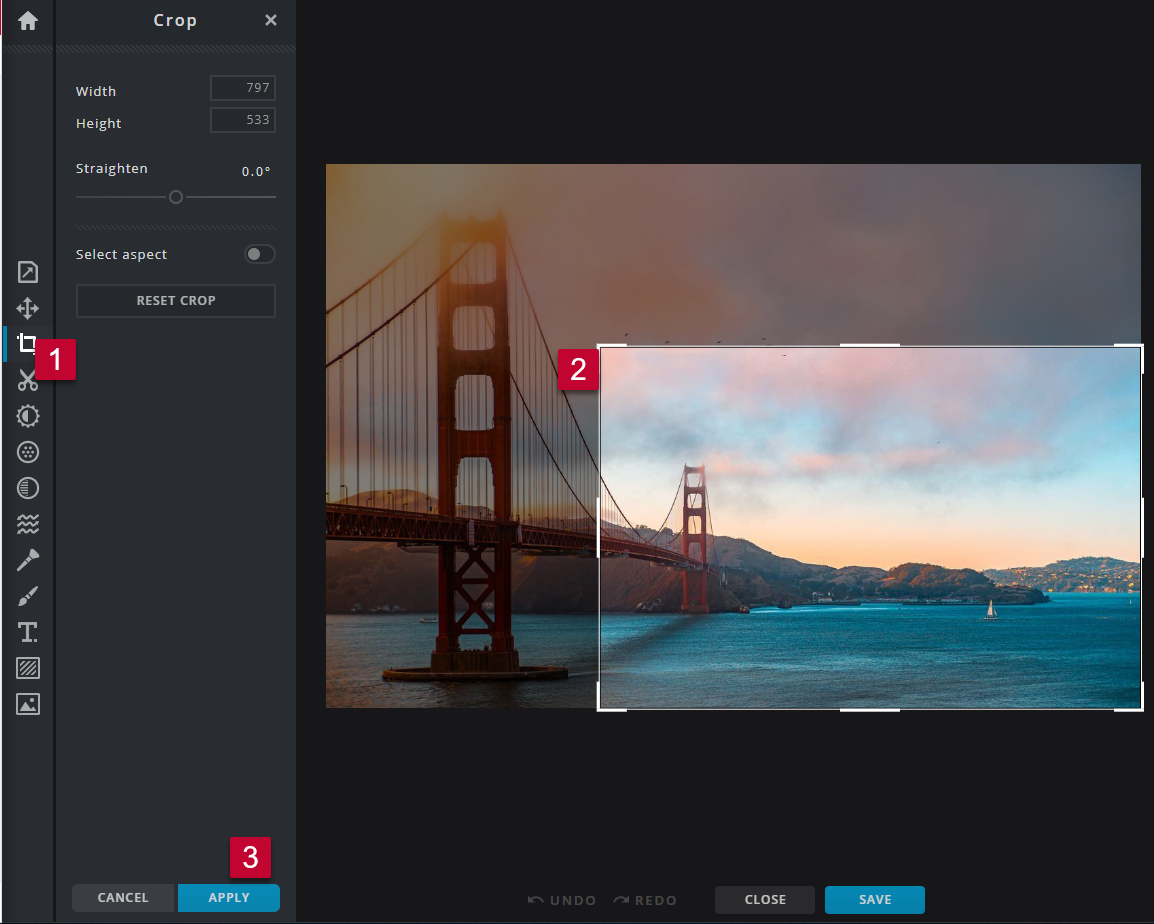
- Open an image in PIXLR X and click on the "Crop" tool.
- Re-size the selection to include the area of the photo you want to keep.
- Click "Apply".
...
How-to Crop an Image to a Specific Width and Height
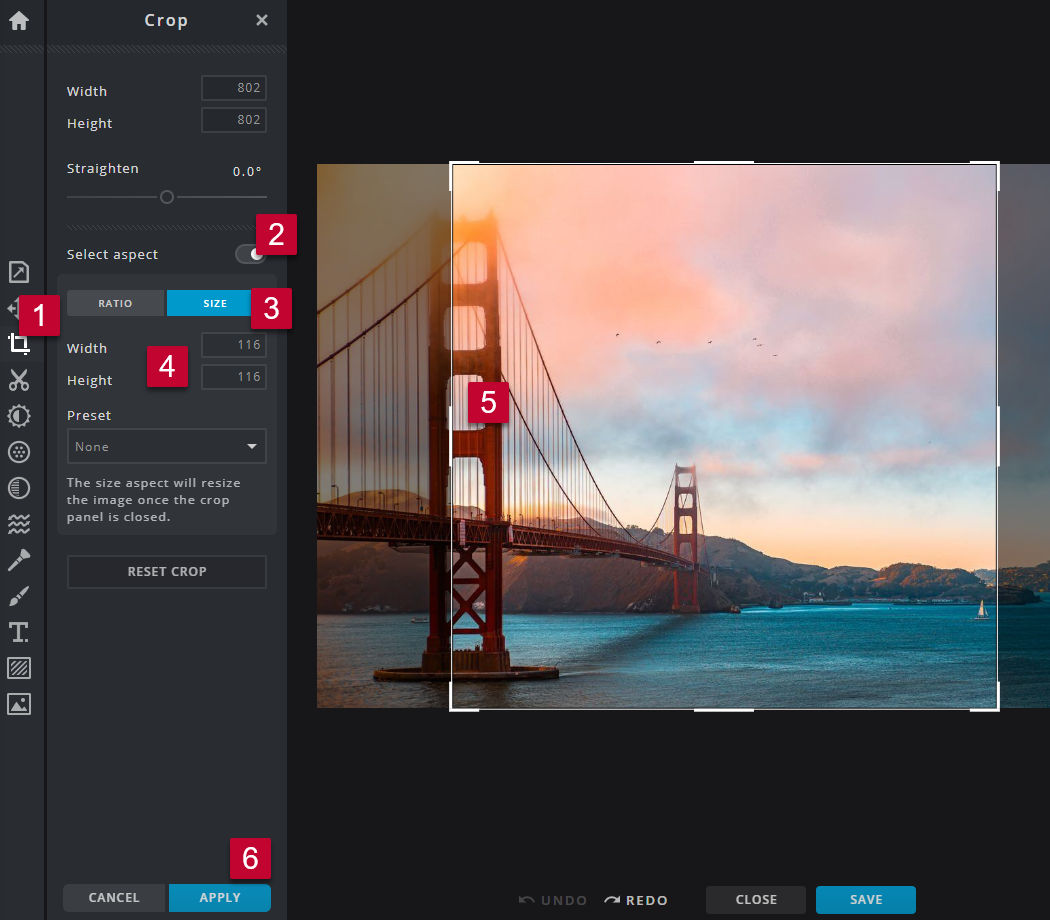
- Open an image in PIXLR X and click on the "Crop" tool.
- Turn on "Select aspect".
- Select "Size".
- Enter the "Width" and "Height" you would like the photo to be.
- Move and re-size the selection to include the desired portion of the photo.
- Click "Apply".
...
How-to Save and Upload an Image
- Click "Save" .
- Update the file name to meet the File Naming Conventions and Best Practices (e.g. name-widthxheight).
- Select the File Type JPG. Unless there is a transparent background.
- Leave the Quality at 90% and High.
- Click "Download".
- Optimize the image using https://tinypng.com/ (Image Optimization/Compression Recommendations and Settings).
- Upload the photo into the media library and add it to your website page or email. (Media Library: How to Upload an Image or File).

...