
Also known as: card with popup, story cards, profile cards, card with plus sign, expandable card
Description
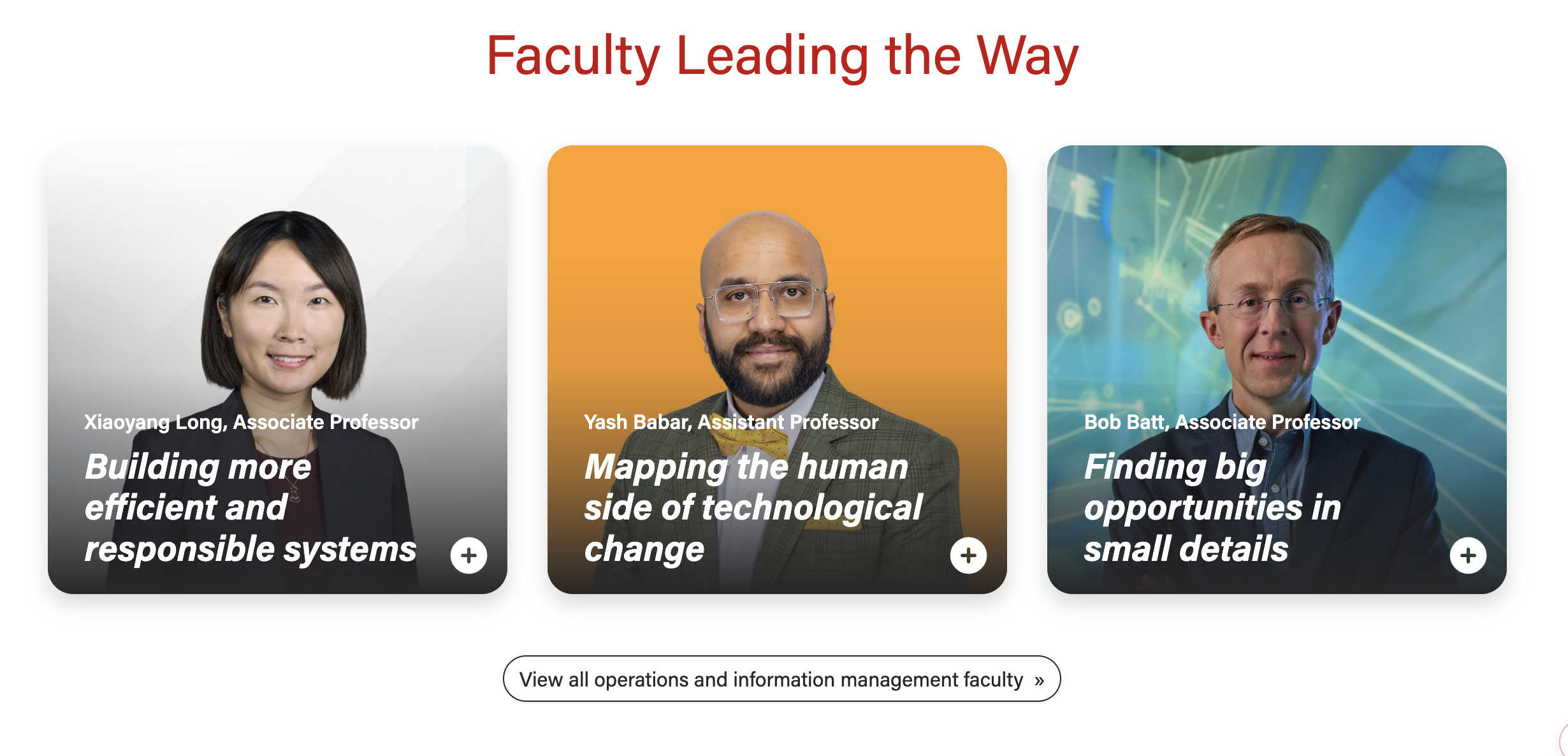
A card displaying a photo and brief teaser copy. When selected, the card opens a modal (popup) with more details about the topic or person.
...
| Expand | ||||
|---|---|---|---|---|
| ||||
|
Examples
Design
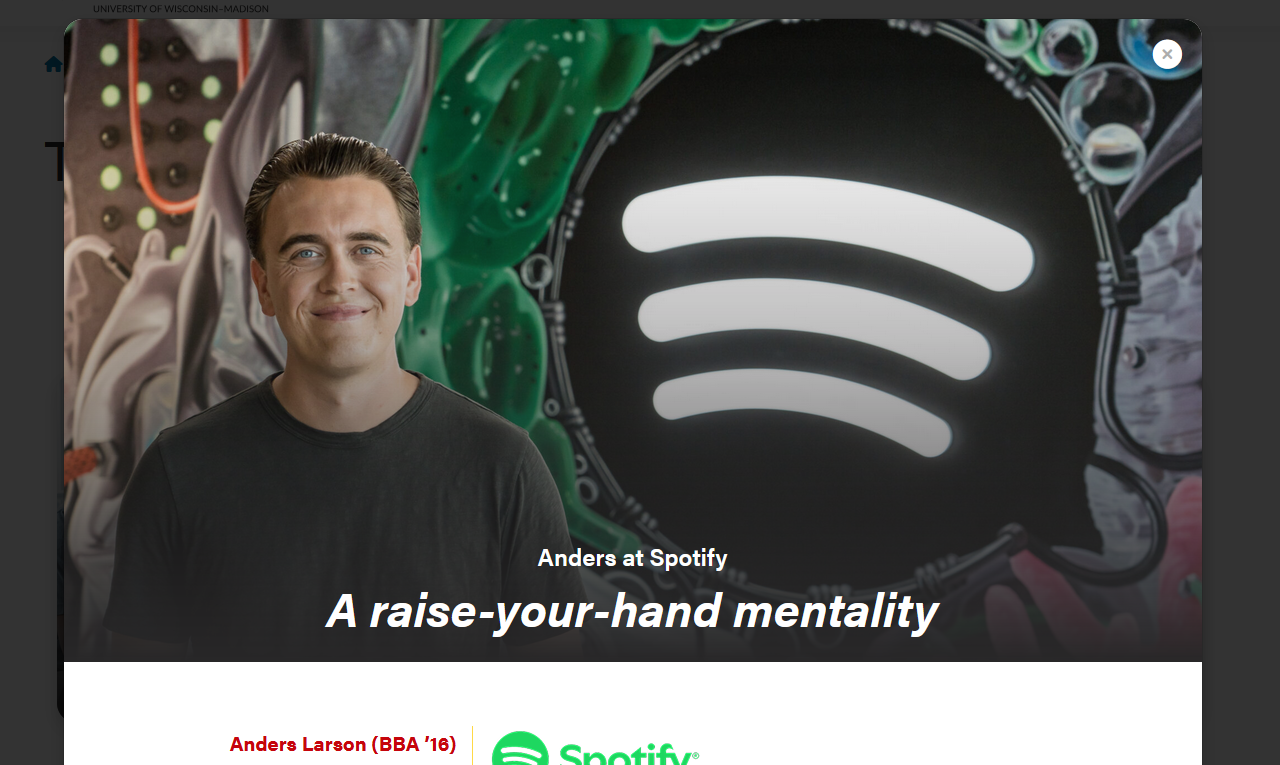
Modal open - full-width header image
|
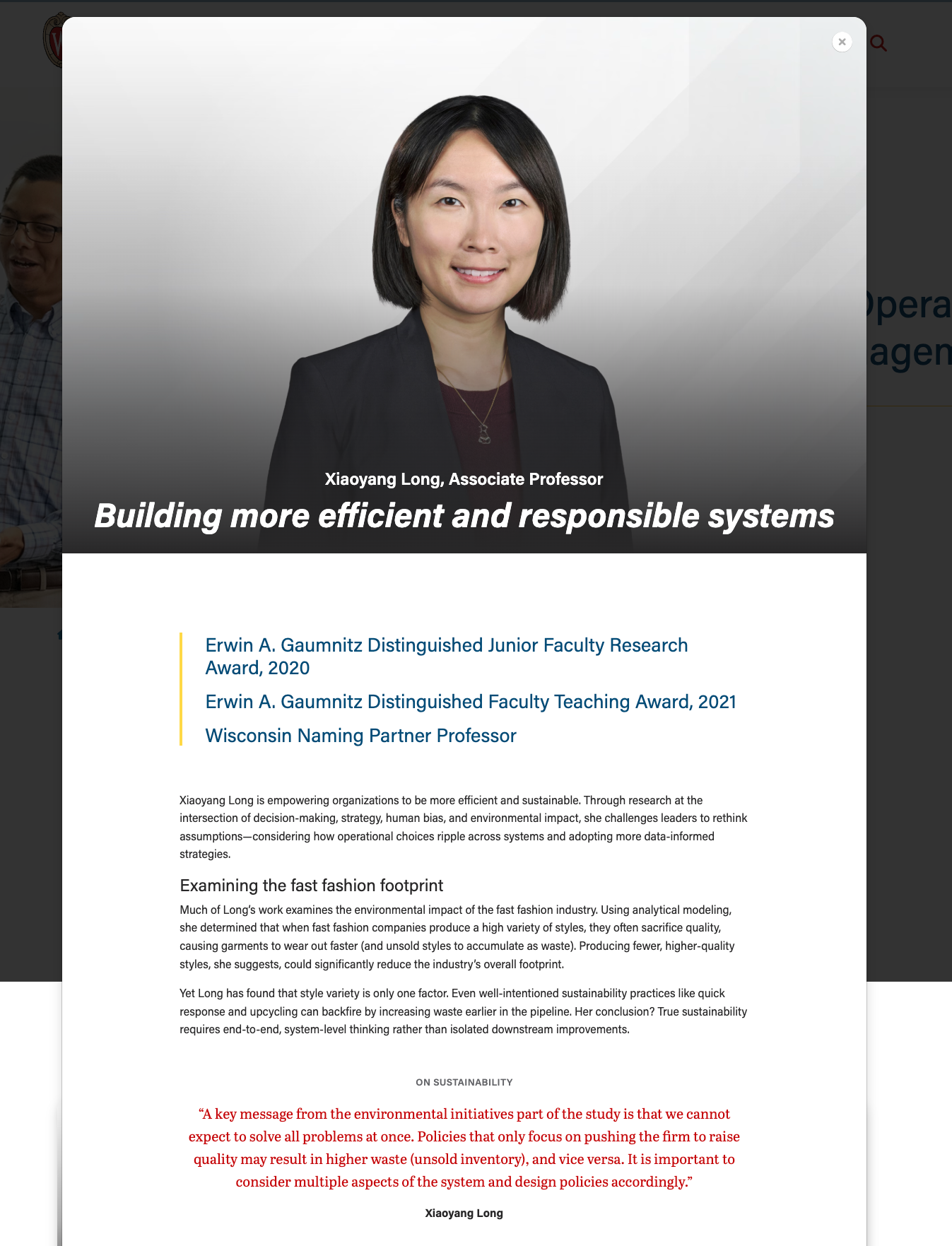
Modal open
|
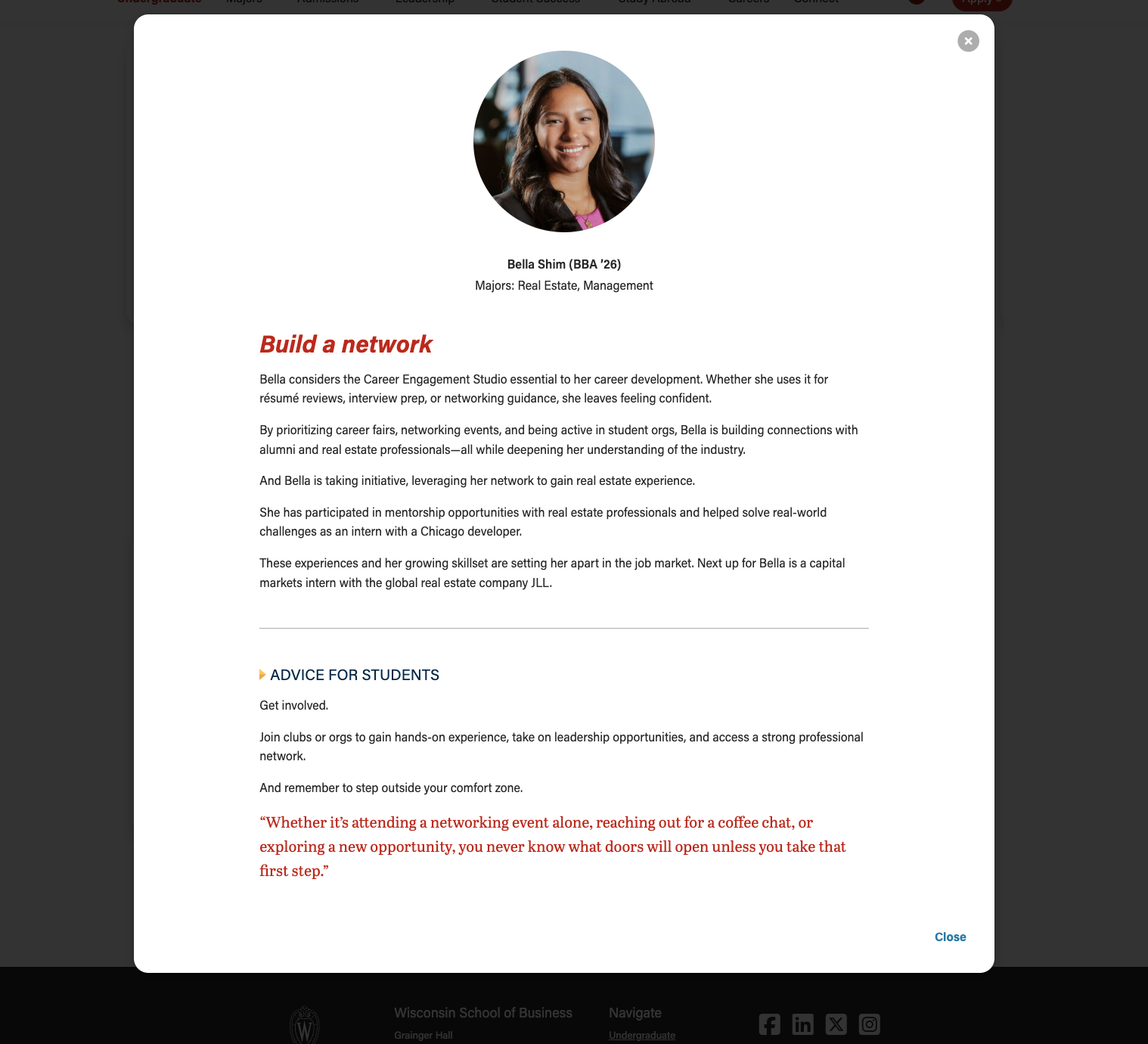
Modal open - 50/50 header image
|
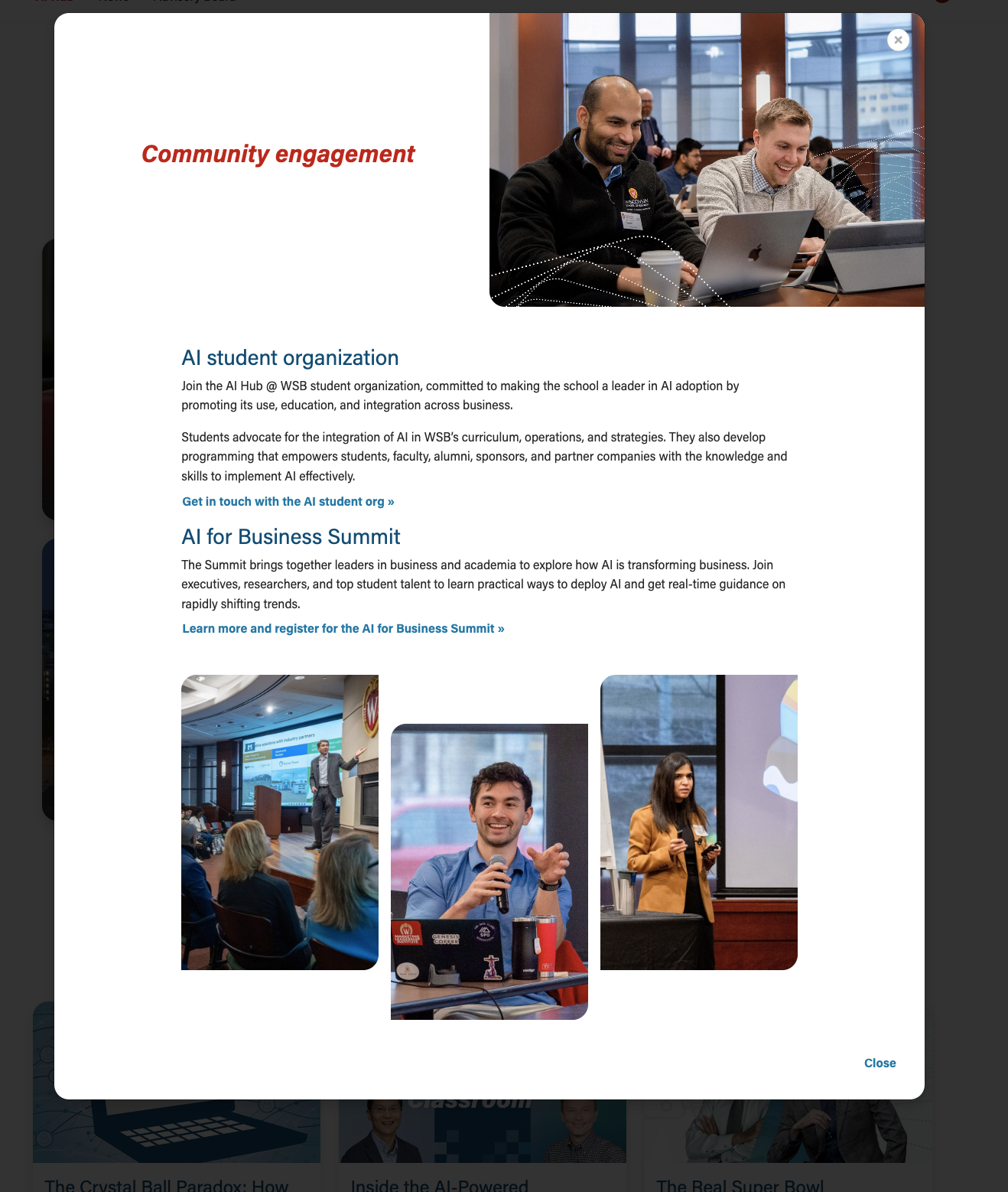
Use When
- Storytelling; sharing a person's profile or career background (examples: BBA Careers, Companies and Recruiters)
- A single card can display multiple details or subtopics for a single Expanding on a topic (example: AI Hub page)
- You have content to fill at least 2 cards and their modals (this component doesn't look as nice when there is only one card)This component works great when you have varying amounts of details for each topic. (e.g. when you have 2 detail paragraphs for topic A and 4 paragraphs for topic Blook as nice when there is only one card)
- There needs to be enough quality content such that interacting with the modal feels worthwhile to the user.
- Don't just fill the modal with fluff to try to make this component work. If it is a struggle to create enough content for each of the cards, consider using a different component with less copy and/or organizing the content differently.
- There needs to be enough quality content such that interacting with the modal feels worthwhile to the user.
...
Limit the amount of copy in the cards, since more detail will be shown in the modals.
- Microtitle (optional) - Keep this short. Can be used as a microtitle or for person's name with parentheses for graduation program and year
- Character limit: ~40 characters
- Copy should fit on one line, so the limit depends on number of columns in the layout (more columns = less room for copy)
- Use this field OR or the card supporting copy field, especially for cards with full-width background images.
- This content will display in the modal header or it can be hidden there
- Character limit: ~40 characters
- Title (required) - This field must have content so the card has a proper html heading
- Character limit: 40 characters
- This content will display in the modal header or it can be replaced there with a longer title
- Card Supporting Copy (optional) - Use sparingly. Only use when the title character limit is too restrictive for your needs. There is usually not room for it, but can be used instead of microtitle.
- Character limit: 70 characters
- Use this field OR or the microtitle field, especially for cards with full-width background images.
- This content will not be displayed in the modal
...
- No character limit, but keep the length within reason. Typically, modal content spans 3 to 6 short paragraphs or chunks of content.
- Follow web best practices for keeping content easy to digest and scannable
- Use subheadings if you include more than 2 paragraphs
- We can include a variety of content here, such as:
- paragraphs
- pullquotes
- supporting images
- photo collages
- an embedded YouTube video
Design Assets Needed
Images
Card photo (required)
- Circle crop photo
- Square photo with face centered; use a headshot or another type of photo where the person is facing the camera
- Dimensions: 500x500px or 1000x1000px
- jpeg file
- Full-width photo
- Standard horizontal photo; use a portrait or environmental shot
- Dimensions - : 2400x1600px
- jpeg file
- Face should be in top 1/3 of image so it doesn't get covered by text at the bottom
- We can add vertical images to make the cards taller, if desired. But all photos for cards in the same row/block should have the same dimensions.
- Standard horizontal photo; use a portrait or environmental shot
...
Modal supporting images (optional)
- We have a lot of layout flexibility in few options for adding images to the modal body. Work with a web developer if you have a layout idea that you don't see belowa web developer.
Company Logo
Logo displayed next to name, title, and company
- Logo specs: 512px wide, height will vary
Layout created for T2L4 landing page
...
| Code Block | ||||||
|---|---|---|---|---|---|---|
| ||||||
DEV NOTES
* Image one and two must be horizontal, image three vertical
* Image two and three are hidden for mobile screens.
* Can use a single caption for all three images for desktop.
* The mobile caption should just be for image one, since the others are not visible at that point.

CODE - WITH CAPTION
<div class="mixed-layout-collage">
   <div class="image-one">
      <img decoding="async" class="image brand-border-radius" src="" alt="" aria-describedby="mixed-collage-caption">
   </div>
   <div class="image-two">
      <img decoding="async" class="image brand-border-radius" src="" alt="" aria-describedby="mixed-collage-caption">
   </div>
    <div class="caption" id="mixed-collage-caption">
      <p class="mobile-caption pt-2">Mobile Caption</p>
      <p class="desktop-caption text-end">Desktop Caption</p>
   </div>
   <div class="image-three">
      <img decoding="async" class="image brand-border-radius" src="" alt="" aria-describedby="mixed-collage-caption">
   </div>
</div>

CODE - NO CAPTION
<div class="mixed-layout-collage">
   <div class="image-one">
      <img decoding="async" class="image brand-border-radius" src="" alt="">
   </div>
   <div class="image-two">
      <img decoding="async" class="image brand-border-radius" src="" alt="">
   </div>
   <div class="image-three">
      <img decoding="async" class="image brand-border-radius" src="" alt="">
   </div>
</div> |
Variations
...
Stacked
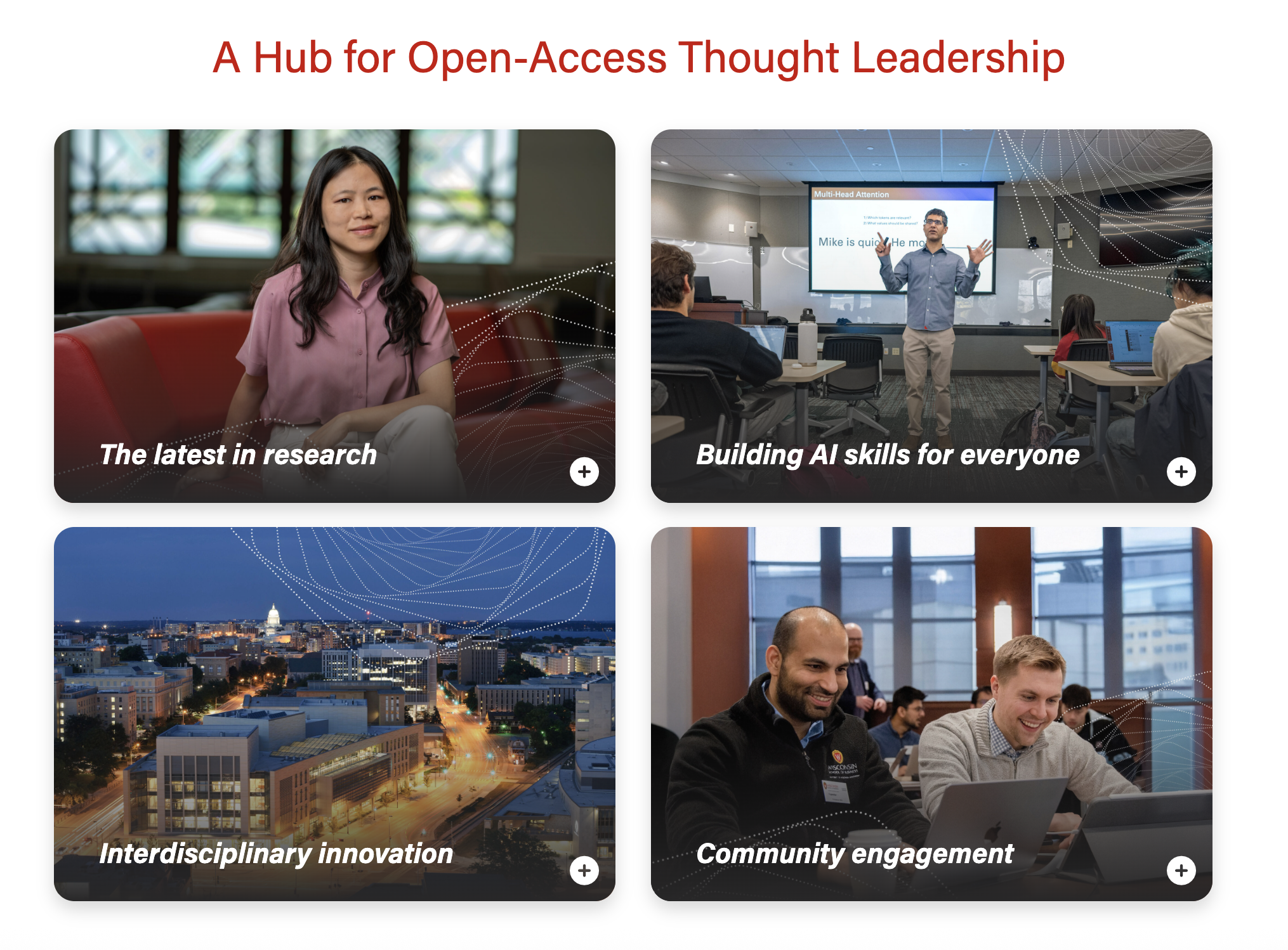
...
Swiper
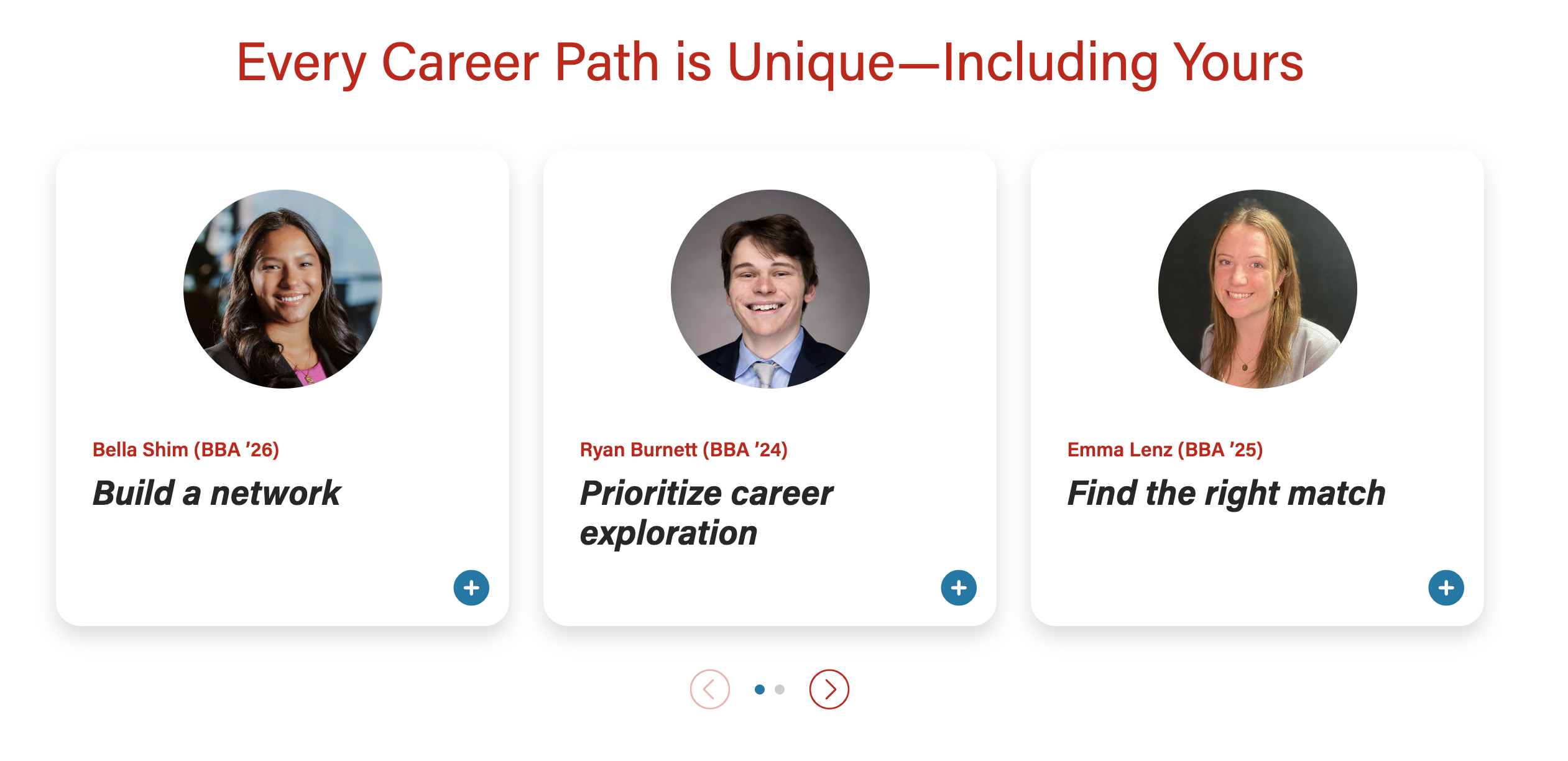
...
50/50 modal header image
...
...
Full-width modal header image – text sits on the image, with a dark gradient overlay for contrast.
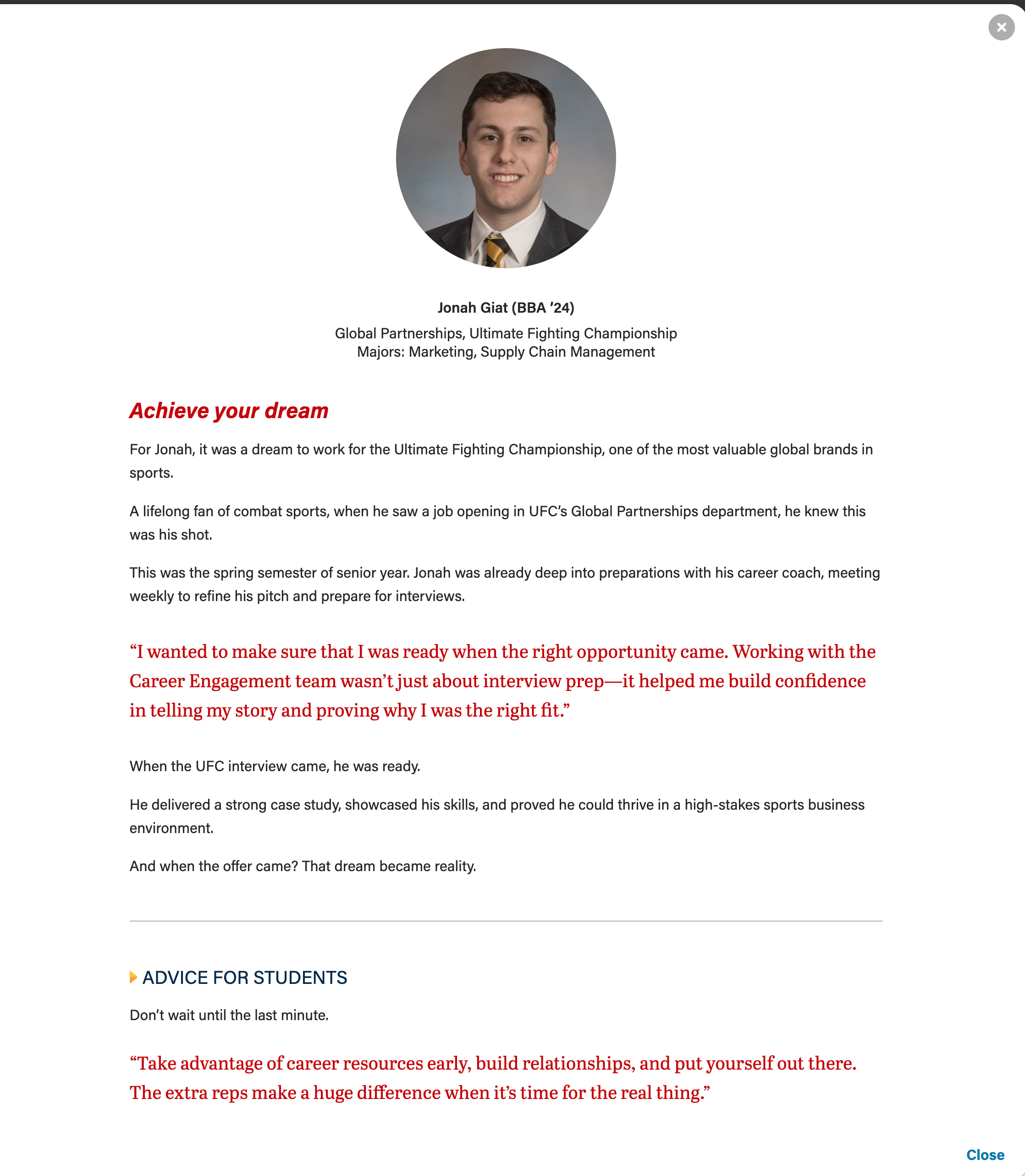
Additional modal elements
...
- red pullquote
- gray horizontal rule
- microtitle (yellow triangle, subhead styled in all caps, dark blue text)
...
Remind writer/strategist to limit the amount of copy in the cards, since more detail can be shown in the modal. This is especially true for the full-width photo layout, since we don't want the copy to wrap and be so tall it covers faces in the card photos.
- Microtitle (optional) - Keep this short.
- This content will display in the modal header by default. Set the "Display card microtitle in modal header?" field to "no" if you want to hide it in the modal
- Title (required) - This field must have content so the card has an html heading
- This content will display in the modal header by default. Add content to the "Modal Title Override" field to replace it.
- Card Supporting Copy (optional) - Used sparingly.
- Use this field OR or the microtitle field, especially for cards with full-width background images.
- This content will not be displayed in the modal
- Card Image
- For circle crop - face must be centered in a square photo
- For full-width image - face should be in top 1/3 of the image
- If the face is too low in the photo, you can try to crop ~100px off the top of the image inside WP media library.
- If using a vertical photo for the card, you will need to add a horizontal version to the modal image override field for the image to display correctly at the top of the modal.
- Crop image to circle? - use for square images, including headshots
...
- These are standard sections for our custom blocks.