
...
Why Would You Would Need to Resize an Image?
Every now and then Sometimes you will need to resize an image. For example: change the size of an image in order to improve how it looks in a document, email, or blog post.
You may need to change its an image's aspect ratio, so the image it fits in a square area when it is a rectangle. Or, was originally a rectangle.
You may need to convert the image file to sRGB if the image quality is affected once live on the website.
Or, you may want to reduce the size of it an image so it is smaller and loads easier and faster . And sometimes you need to change the size of an image in order to improve how it looks in a document, email, blog post, or webpagein an email.
NOTE: Do not resize an image you are submitting to the web team for use on the business.wisc.edu website. The web team will only accept original, uncropped images for use on the site.
I Don’t Have (or Don't Know How to Use) Adobe Photoshop, What Program Should I Use?
...
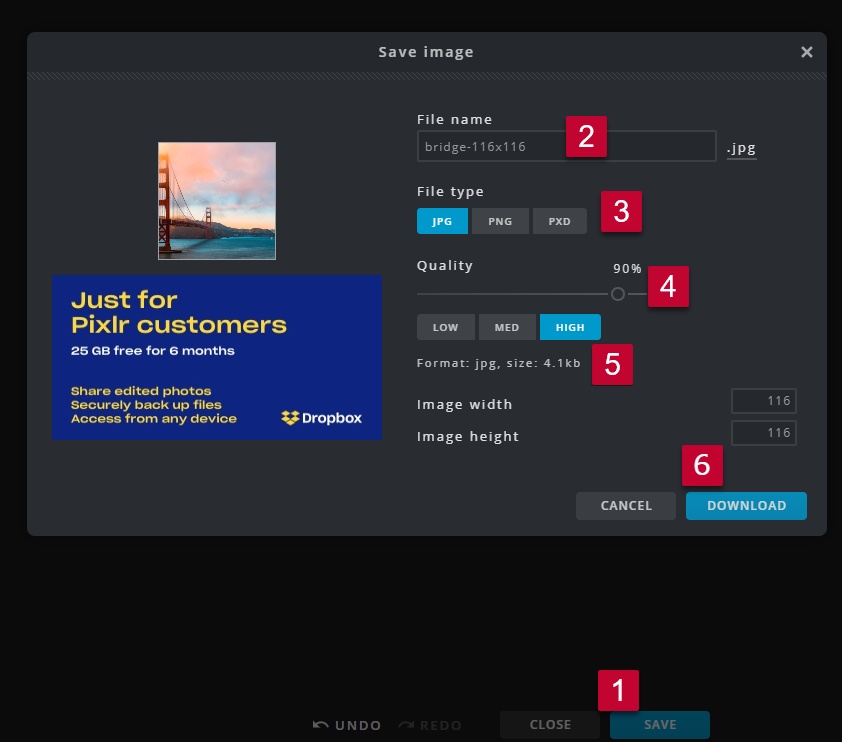
- Click "Save" .
- Update the file name to meet the File Naming Conventions and Best Practices (e.g. name-widthxheight).
- Select the File Type JPG, unless there is a transparent background, in which case you should choose PNG.
- Leave the Quality at 90% and High.
- Check that the image is less than 5MB (5000KB) in size.
- If it's not, decrease the image quality percentage until it is.
- If the photo's dimensions (width and height) are larger than necessary, decrease them to the appropriate size.
- Click "Download".Optimize
- the image using https://tinypng.com/ (Image Optimization/Compression Recommendations and Settings)If you are uploading the photo to an email, we recommend running the photo through tinypng.com to optimize the photo. This is not necessary if uploading to the Wordpress Media Library.
- Upload the photo into the media library and add it to your blog post or email. (Media Library: How to Upload an Image or File).
- If WordPress gives you an error saying your image size is too big, running it through tinypng.com before uploading may help.

...
How-to Save as sRGB
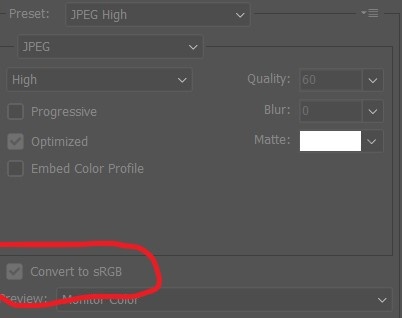
If the quality of the image changes once uploaded to the site, it could be that the image wasn't saved as sRGB. The easiest way to save as sRGB is through Photoshop.
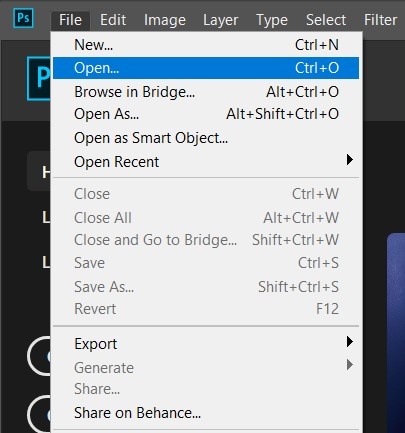
Once you have Photoshop open, you can open your image by navigating to File > Open
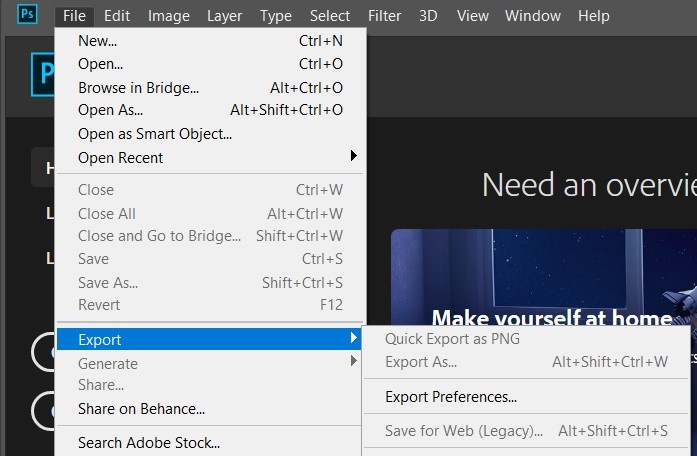
Then, to save as sRGB, navigate to File > Export > Save for Web.
On the pop-up window, make sure Convert to sRGB is checked (Photoshop does this automatically), and then save.
Learn More
- PIXLR Support | Frequently Asked Questions
- Experience Editor - Standard Image Sizes
- Training: Sitecore Email Builder
...
Related Articles
| Content by Label | ||||||||||||||||||
|---|---|---|---|---|---|---|---|---|---|---|---|---|---|---|---|---|---|---|
|
...