
If you'd like to create an email using the Eloqua email builder but send it using another program (such as LRM), follow the instructions for building a normal Eloqua email then make the following changes:
1. Remove the Header, and Replace the footer with a blank footer
The default header contains a "View it on the Web" link that only works for Eloqua-sent emails
- Select the header
- Click "Replace" in the left sidebar
- Navigate to the WSB folder and select "blank header"
The default footer contains an "Unsubscribe" button that only works for Eloqua-sent emails.
- Select the footer (bottom row of the email)
- Click "Replace" in the left sidebar
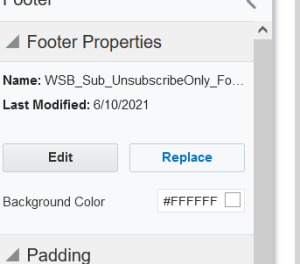
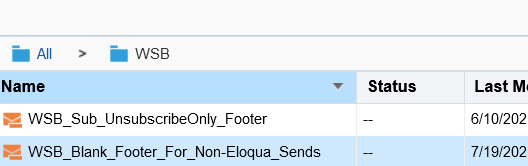
- Navigate to the WSB folder and select the footer labeled: "WSB_Blank_Footer_For_Non-Eloqua_Sends"
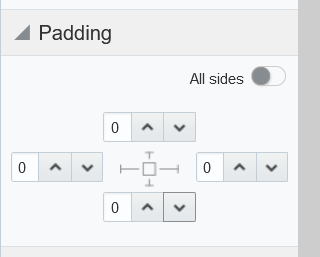
- Remove all padding from the footer (set the padding values to 0 on all sides of the footer)
- Your footer should look like this:

2. Remove Eloqua tracking
This step is optional. If you want Eloqua tracking codes to be removed from your links, do the following:
- Select Action > Manage Links
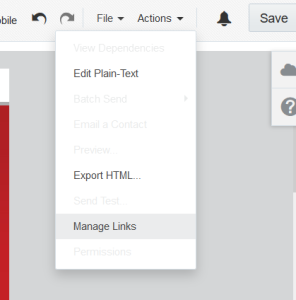
- Uncheck all checkboxes.
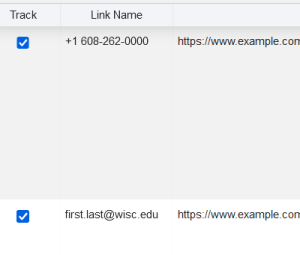
- Click "Done"
3. Download the HTML
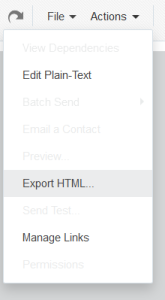
- Once your email is ready, go to Actions> Export HTML
- Untoggle "Include Eloqua Elements"
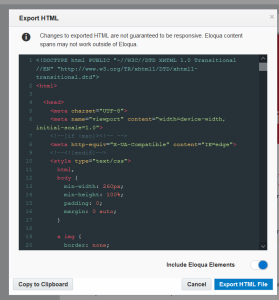
- Click "Export HTML File" to save the file to your computer, or "Copy to Clipboard" if you just need to paste it somewhere
4. Add a new unsubscribe footer
Some email sending programs, like iContact, automatically add an unsubscribe footer. However, some, like LRM, don't, and you'll need to manually add a footer so you can comply with CAN-SPAM regulations.
Open up the html file you just saved. Scroll to the bottom, and locate the following html:
		<table style="max-width:600px;min-width:300px;margin:0 auto;" width="100%" cellspacing="0" cellpadding="0">
              <tbody>
                <tr>
                  <td style="background-color:#FFFFFF;line-height:18px;">
                    <table width="100%" cellspacing="0" cellpadding="0">
                      <tbody>
                        <tr>
                          <td>
                            <table width="100%" cellspacing="0" cellpadding="0">
                              <tbody>
                                <tr>
                                  <td style="background-color:#FFFFFF;line-height:18px;padding:0px 0px 0px 0px;" class="elq-header-footer-cell cell "><span>

                                    </span></td>
                                </tr>
                              </tbody>
                            </table>
                          </td>
                        </tr>
                      </tbody>
                    </table>
                  </td>
                </tr>
              </tbody>
            </table>
Select this entire section and replace it with the html for your footer. If you're using LRM, paste the following code:
LRM footer
|