
This article outlines how to update application instruction sections within the Admin Settings of LRM.
Jump to:
Each section/page of the application has an instruction header, and other configuration settings that can be edited within LRM.
Navigate to Settings > Admin Settings > Current
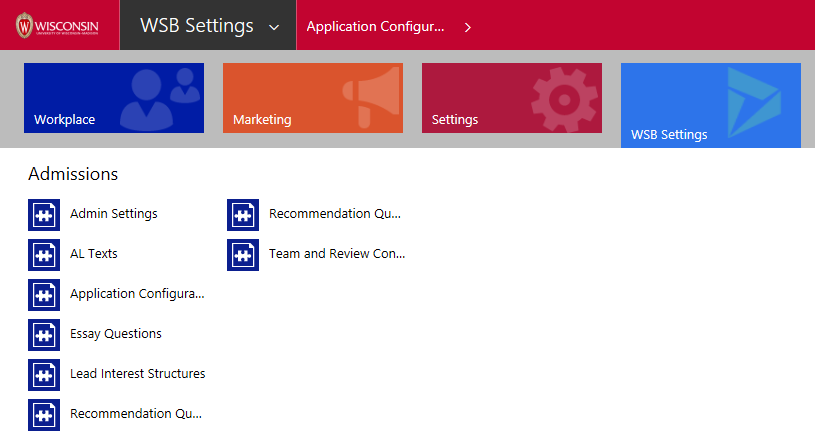
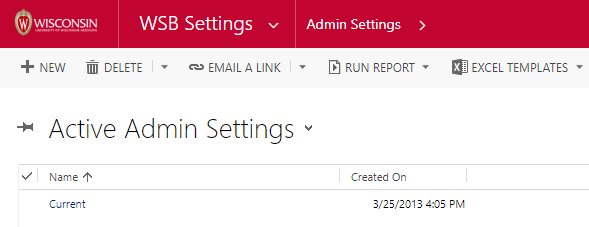
Only system administrators can access the current admin settings. Please contact support at support.wsb.wisc.edu if you would like help getting any settings controlled in this section.
Manage Dashboard Message
The dashboard message includes deadlines for all WSB graduate programs.
VIEW IN ADMISSIONS APPLICATION

VIEW IN LRM

Application Configuration
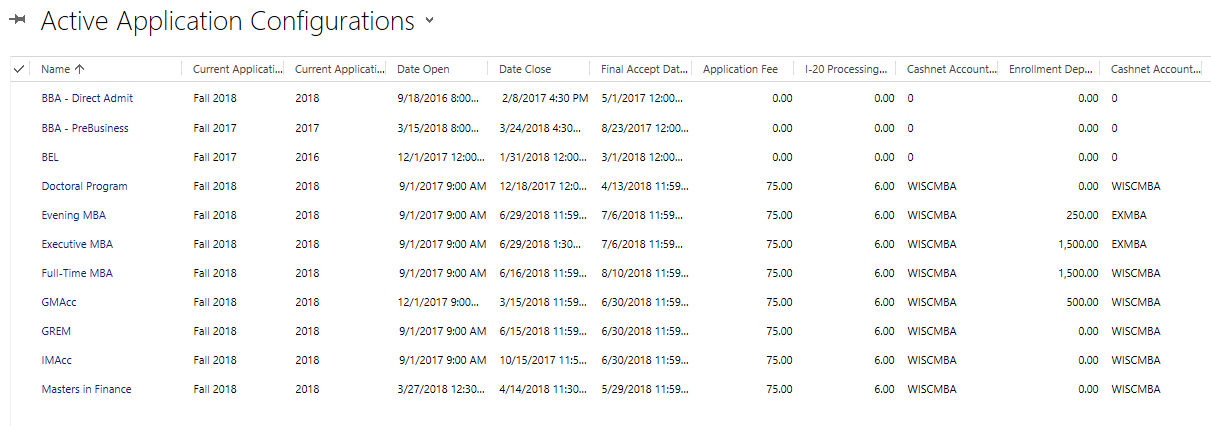
Each program has an application configuration setting.
- Navigate to WSB Settings > Application Configuration

- Select and open the program you want to configure.
VIEW IN ADMISSIONS APPLICATION

Edit the Date Open, Date Close, and Final Accept Date.
- Date Open = First date an applicant can start an application
- Date Close = Final date an applicant can start AND submit an application
- Final Accept Date = Final date an applicant can accept OR decline an offer
VIEW IN LRM

Fees and Terms
Edit the application fee, I-20 processing fee, and enrollment deposit fee.
Within the application configuration, fees can be edited. This includes the application fee, I-20 processing fee, the CashNet account for the fees, the enrollment deposit, and the CashNet account for the enrollment deposit.
VIEW IN LRM

Fees By Program
All programs have an $6 I-20 processing fee for international applicants.
| Program | Application Fee | CashNet Account | Enrollment Deposit | CashNet Account |
|---|---|---|---|---|
| Doctoral | 75 | WISCMBA | 0 | NA |
| Evening | 75 | WISCMBA | 500 | EXMBA |
| Executive | 75 | WISCMBA | 1500 | EXMBA |
| Full Time | 75 | WISCMBA | 1500 | WISCMBA |
| GMAcc | 75 | WISCMBA | 500 | WISCMBA |
| GREM | 75 | WISCMBA | 1000 | WISCMBA |
| IMAcc | 75 | WISCMBA | 0 | NA |
| Masters in Fin | 75 | WISCMBA | 0 | NA |
Accounts by Environment
Each account has a Dev, Test, Production variant.
| Programs | Account | Dev | Test | Production |
|---|---|---|---|---|
| All but EveMBA, ExeMBA | WISCMB? | WISCMBD | WISCMBT | WISCMBA |
| EveMBA, ExeMBA only | EXMB? | EXMBAD | EXMBAD (no separate test account) | EXMBA |
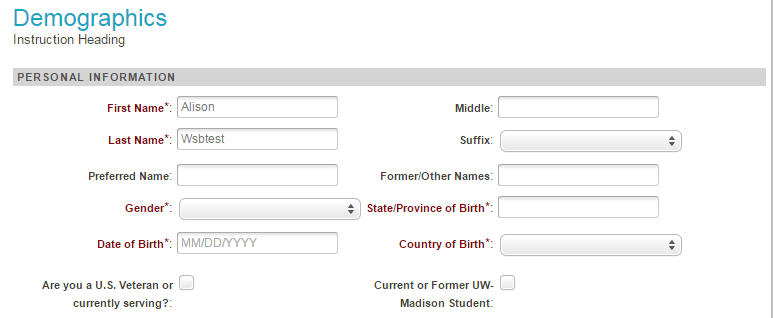
Demographics Section
Edit the instruction heading for the Demographics page.
VIEW IN ADMISSIONS APPLICATION
VIEW IN LRM

Academic History Section
Edit the instruction heading for the Academic History page.
- Use the "Academic History Required" check box to indicate whether the page should appear within your program's application.
- Use the "Require Transcript" check box to require a transcript upload on this page.
VIEW IN ADMISSIONS APPLICATION

VIEW IN LRM

Employment History Section
Edit the instruction heading for the Employment History page.
- Use the "Employment History Required" check box to indicate whether the page should appear within your program's application.
VIEW IN ADMISSIONS APPLICATION

VIEW IN LRM


Essays Section
Edit the instruction heading for the Essay page.
- Use the "Essay Required" check box to indicate whether the page should appear within your program's application.
VIEW IN ADMISSIONS APPLICATION
 '
'VIEW IN LRM
Survey Section
Edit the instruction heading for the Survey page.
- Use the "Survey Required" check box to indicate whether the page should appear within your program's application.
VIEW IN LRM

Resume Section
Edit the instruction heading for the Resume page.
- Use the "Resume Required" check box to indicate whether the page should appear within your program's application.
VIEW IN ADMISSIONS APPLICATION

VIEW IN LRM


Test Score Section
Edit the instruction heading for the Test Score page.
- Use the "Test Scores Required" check box to indicate whether the page should appear within your program's application.
VIEW IN ADMISSIONS APPLICATION

VIEW IN LRM

- Use the "Test Scores Mandatory" check box to indicate whether applicants can submit test scores optionally. If the check box is checked, applicants must provide at least one test score.
- If the check box is not checked, applicants have the option to select "I do not plan to report any graduate admissions test scores."
VIEW IN ADMISSIONS APPLICATION

VIEW IN LRM
Recommendations Section
Edit the instruction heading for the Recommendations page.
- Use the "Recommendations Required" check box to indicate whether the page should appear within your program's application.
- Indicate the minimum and maximum recommendations required.
VIEW IN ADMISSIONS APPLICATION

VIEW IN LRM

Authorizer Section
Edit the instruction heading for the Authorizer page.
- Use the "Authorizer Required" check box to indicate whether the page should appear within your program's application.
- Indicate the minimum and maximum recommendations required.
VIEW IN ADMISSIONS APPLICATION

VIEW IN LRM

Residency Section
Edit the instruction heading for the Recommendations page.
- Use the "Recommendations Required" check box to indicate whether the page should appear within your program's application.
VIEW IN ADMISSIONS APPLICATION

VIEW IN LRM

Final Questions Section
Edit the instruction heading for the Final Questions page.
- Use the "Final Questions Required" check box to indicate whether the page should appear within your program's application.
- Final Questions are hardcoded in the admissions application code. Changes to the questions in the section require a web application publish.
VIEW IN ADMISSIONS APPLICATION

VIEW IN LRM

Pay and Submit Section
Edit the instruction heading for the Pay and Submit page.
VIEW IN ADMISSIONS APPLICATION

VIEW IN LRM
