
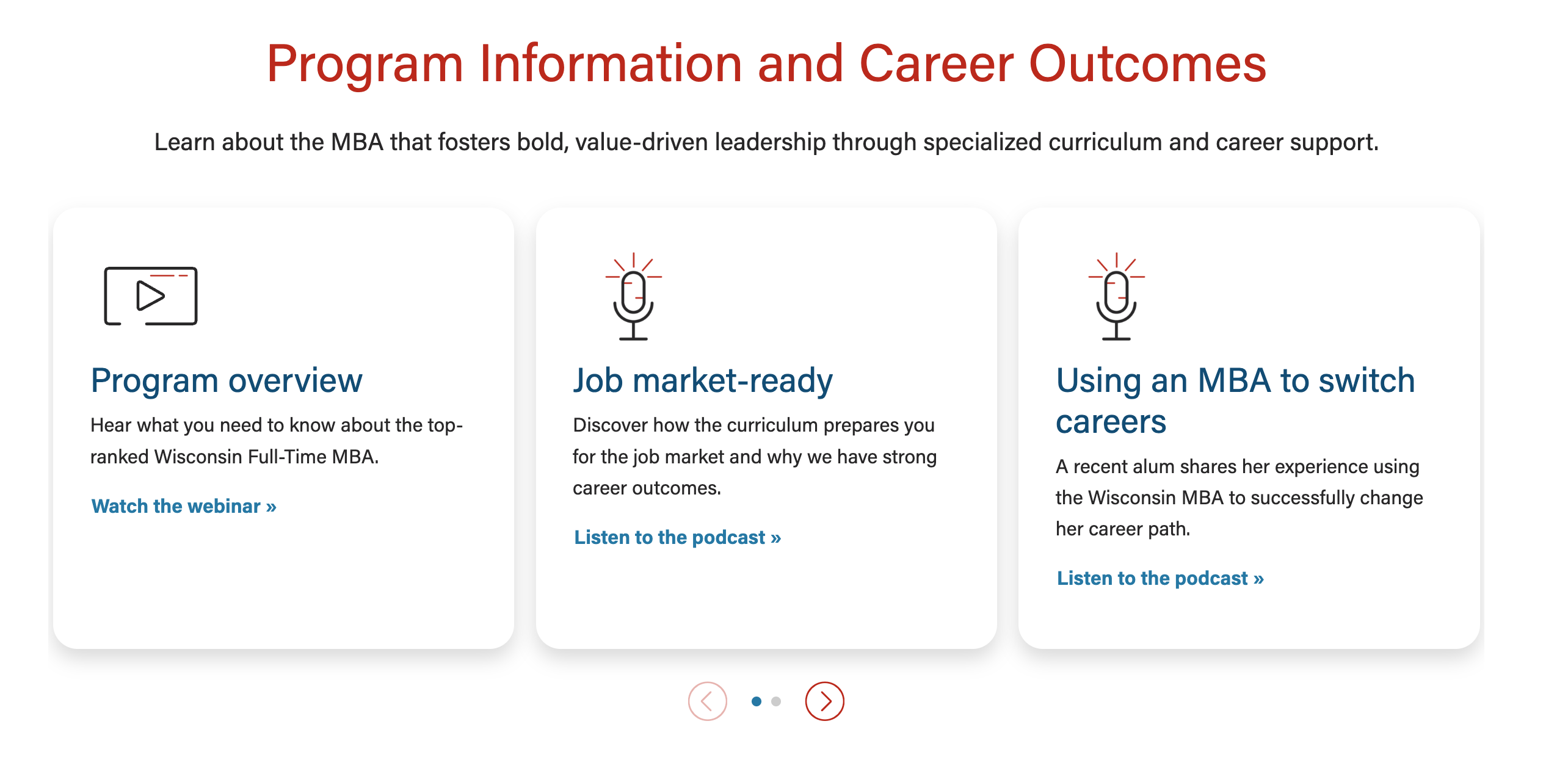
In June 2025, MSC updated how we display webinars and podcasts on the following program webpages:
The new content layout is easier to skim and puts more focus on what the user will get out of each resource.
Process
You will need to open a web ticket to request updates to content on these pages, but before you open a ticket, be sure to consider the following:
- First, review the webinars and podcasts that exist on the page(s) and whether you want to replace an existing resource or add a new card. Be sure to note this choice clearly in your request.
- Please don’t request putting things on the page that duplicate information. We can always replace outdated information, but we want to keep the content nice and tailored to the best resources.
- Draft the copy for each webinar and podcast that you want to add to the page.
- The heading and the description text both need to be short. The heading should be ~35 characters or fewer; description should be ~115 characters or fewer. (If a heading needs to go longer than 35 characters, that’s fine, but then keep the description extra short. And vice versa.)
As for what the copy should say:
- It shouldn’t just repeat the webinar/podcast title and description. Think about what the audience will learn from it and make it short and sweet. You want someone glancing at this page to be able to quickly understand while scrolling what the pod/webinar is about.
- The description builds off the title.
- Follow the WSB Editorial Style Guide.
- Feel free to reach out to Andrea Anderson, MSC content specialist for assistance with copy.
- Make sure webinars are added to relevant playlists on YouTube.
- Use playlist links for the webinars so that you see the playlist of other WSB videos next to it. For example, this link https://www.youtube.com/watch?v=jD6hT3bc0ik&list=PLXuX4rqL8Z3Y7jVOGLrhsmQh_g_7vK6SU&index=2 shows that nice playlist on the side with more WSB videos. As opposed to https://www.youtube.com/watch?v=IykFsyM787I&t=1s which doesn’t include the playlist. Learn more about sharing proper YouTube links.